Charts & Statistics Screensavers
Economic and demographic statistics, drawn so you can watch them move: bar chart races of GDP, population and emissions, a heat map of inflation, a bubble chart of wealth and health, a Sankey diagram of the federal budget, 3D surfaces of yield curves and central-bank rates, and carousels that turn through dozens of measures. Free and fullscreen in your browser.
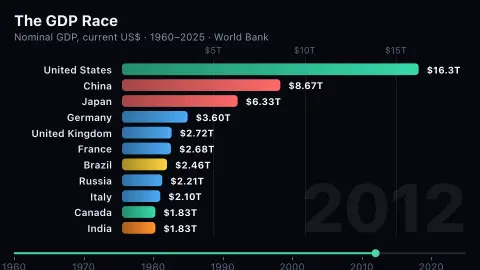
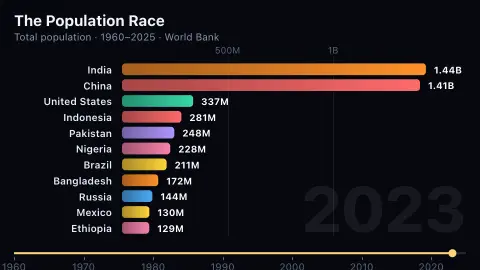
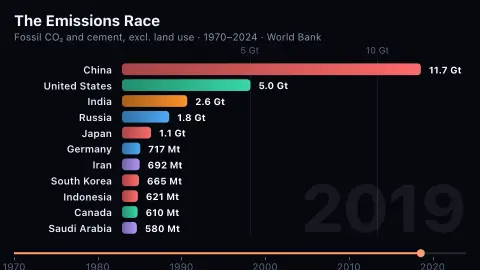
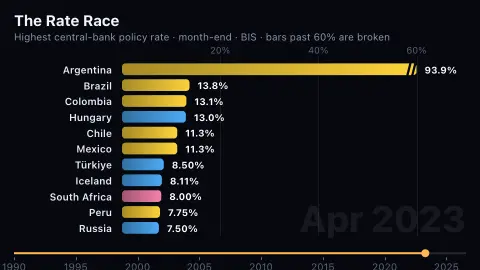
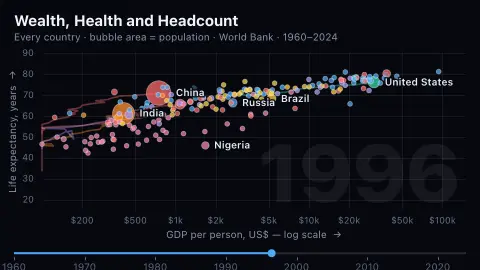
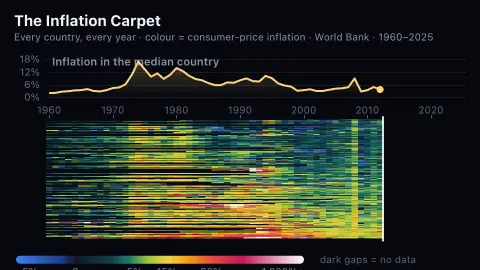
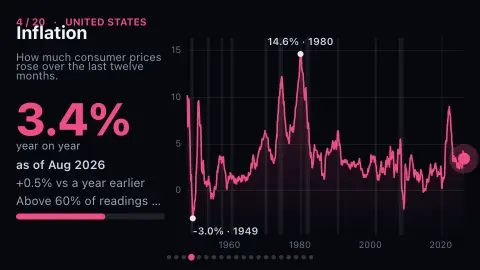
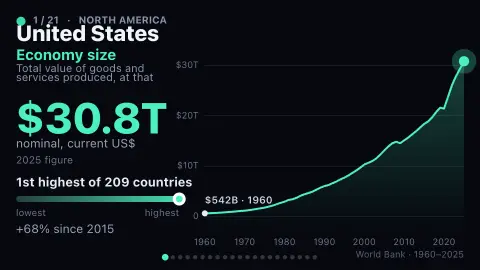
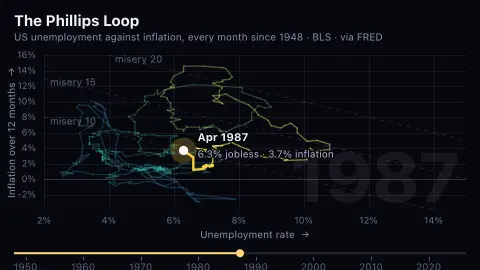
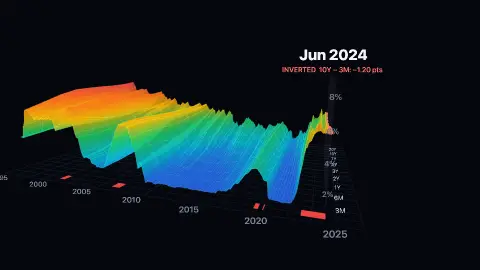
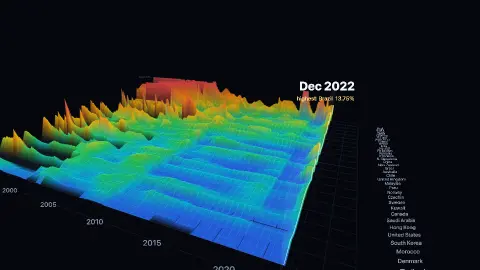
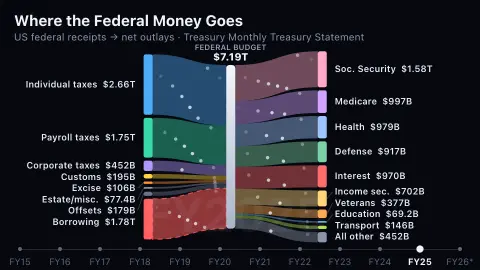
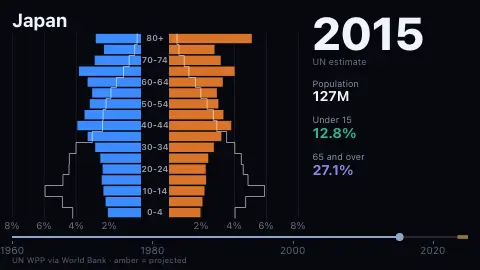
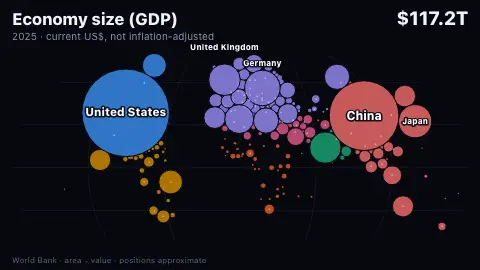
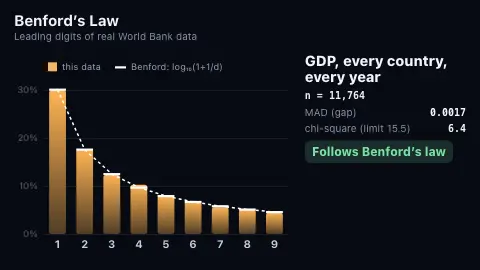
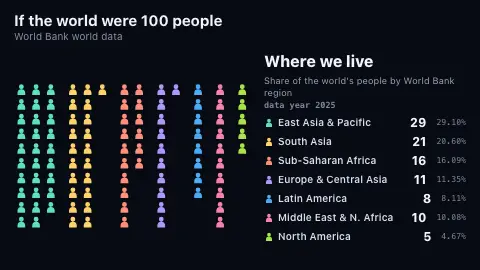
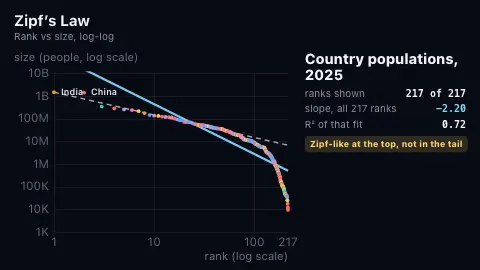
Most data screensavers show you a number. These show you how it got there. The World Bank savers read decades of annual figures — GDP, population, life expectancy, inflation, CO₂ — for every country and animate them, while the interest-rate savers draw central-bank and Treasury data as races, terrain and a slowly turning path. US series come from FRED and the Bureau of Labor Statistics; central-bank rates come from the Bank for International Settlements.
Because the interesting part of a statistic is its history, the data is prepared ahead of time by the site's pipeline rather than fetched raw in your browser: it is faster, and it lets each chart say plainly where the data is thin, capped or missing instead of hiding it. Nothing here is investment advice; it is a window onto public data.
Frequently asked questions
- Where does the data come from?
- The World Bank's open data for country statistics, FRED (the Federal Reserve Bank of St. Louis) for US series and Treasury yields, and the Bank for International Settlements for central-bank policy rates. All are free and key-less.
- Is it live?
- These are published statistics, mostly annual or monthly, refreshed whenever the site's data pipeline runs. They are current but not real-time feeds.
- Do the charts hide anything?
- They are built not to. Where a scale is capped, a series is missing years or a country is excluded for thin data, the chart or its page says so.
- Is it free?
- Yes — free, no download, in your browser.