Tunnel Screensaver
Tunnel is a free, in-browser recreation of the classic demoscene tunnel effect, flying you endlessly inward through a twisting, textured shaft. It renders in real time on a canvas with no download or install needed. Press ESC whenever you want to exit.
Live preview
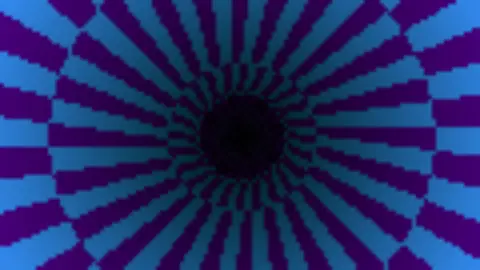
Press ESC to leave fullscreen. Settings are saved in your browser only.
How the Tunnel screensaver works
The effect is a texture-mapped tunnel. The saver renders into a tiny offscreen buffer (roughly 70–190 pixels wide) for speed, then scales that up to fill the screen. For every pixel it precomputes two values once: a depth (how far down the tunnel that screen point looks) and an angle around the tunnel's axis.
Depth is derived as a constant divided by the distance from the center, so pixels near the middle map to faraway tunnel surface and pixels at the edges map to surface right beside you — the classic perspective of looking down a pipe.
Each frame, time is added to the depth coordinate to scroll the texture toward you, and your Twist setting shears the angle by depth so the shaft appears to spiral. The Pattern choice decides the texture math: Checker XORs angle and depth bands, Rings uses a sine of depth, and Stripes bands the angle alone.
A precomputed color lookup table for your chosen Palette (Neon, Fire, Ice, or Rainbow) turns the pattern value into RGB, and a per-pixel shade term darkens the far center so the tunnel mouth recedes into shadow.
The demoscene tunnel and its lookup-table trick
The tunnel is a classic effect of the demoscene, the computer-art subculture in which programmers compete to squeeze striking real-time graphics out of limited hardware. A true 3D renderer was out of reach on modest machines, so coders treated a tunnel as a mapping problem: for each screen pixel, work out which point on an imaginary pipe wall it sees, then read a texture at that point.
The geometry of a cylinder gives the answer in closed form. The angle of a pixel around the screen centre becomes the angle around the pipe, and the distance from the centre becomes depth by an inverse relationship. Because neither value changes while the camera flies straight, they can be computed once and stored in two tables. Every later frame is just an addition to scroll or rotate the texture coordinates, which is why the effect is so cheap to run.
The look is distinctive: a vanishing point, bands that stretch near the edges and squeeze toward the middle, and moire-like shimmer where a fine pattern is minified. Sampling without filtering produces that crunchy aliasing, which is part of the retro charm rather than a defect.
A worked example
With the defaults — palette Neon, speed 4, twist 3, and pattern Checker — you fly into a green-to-cyan checkerboard tube that spirals gently and darkens toward the center. Switch Pattern to Rings for concentric bands rushing past, or set Palette to Fire and Twist to 10 for a hot, heavily corkscrewing shaft.
Settings & tips
- Try each Pattern — Checker, Rings, and Stripes — since they completely change the texture math and feel of the tube.
- Raise Twist toward 10 to make the tunnel visibly spiral, or set it to 0 for a straight, dizzy-free flight.
- Pick a Palette (Neon, Fire, Ice, Rainbow) to set the mood, then adjust Speed from 1 for a calm drift up to 10 for a fast plunge.
Frequently asked questions
- Is the Tunnel screensaver free?
- Yes. The Tunnel effect runs free in your browser with no download or sign-up. The page starts the animation right away.
- How do I exit the Tunnel screensaver?
- Press ESC to exit at any time and return to the page. Leaving full-screen also stops the effect.
- What is a demoscene tunnel effect?
- It is a classic real-time graphics trick from the demoscene that fakes flying through a textured pipe by mapping each pixel to a depth and angle. This version recreates it in the browser on a canvas.
- Can I change the colors and pattern?
- Yes. You can pick a Neon, Fire, Ice, or Rainbow palette and choose a Checker, Rings, or Stripes texture, plus adjust speed and twist.
- Will the Tunnel screensaver slow down my computer?
- No. It renders into a small offscreen buffer and scales it up, so it stays lightweight even on modest hardware and mobile devices.
- Why do the patterns look blocky near the centre?
- Pixels near the middle map to a huge stretch of pipe wall, so many texture cells are squeezed into a few pixels and the pattern aliases into shimmer. It is an inherent property of unfiltered texture lookup, not a rendering bug.
- Is this real 3D?
- No. It is a 2D image-space trick: each screen pixel is assigned a depth and an angle, and a texture is read from those. No polygons or camera matrices are involved, which is what makes the technique so cheap.