Rotating Wireframe Screensaver
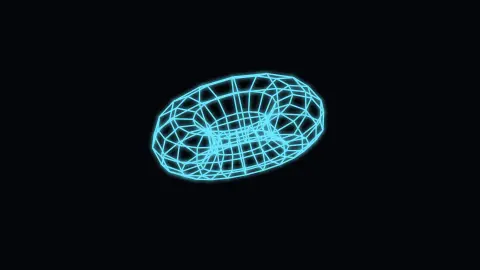
Rotating Wireframe is a free, in-browser screensaver that spins a glowing 3D solid — a torus, cube, sphere, or pyramid — endlessly in space, drawn as a glowing skeleton of edges. There is nothing to download. Open the page to watch the shape turn, and press ESC to exit.
Live preview
Press ESC to leave fullscreen. Settings are saved in your browser only.
How the Rotating Wireframe screensaver works
Each Shape is defined as a list of 3D vertices and the edges that connect them — for example the cube is 8 corners and 12 edges, while the torus and sphere are stitched from rings of points. Choosing a different shape simply swaps in a different set of vertices and edges to draw.
Every frame the shape is rotated around two axes at slightly different rates, so it tumbles rather than spinning flatly. Each 3D point is then flattened to the screen with a perspective projection: points farther back are scaled down, giving the solid real depth as it turns. Spin speed scales how fast it rotates.
With the Render mode set to Wireframe, a line is drawn for every edge to form the glowing cage. Switch it to Vertices and only the corner points are drawn as small dots, turning the same solid into a rotating point cloud.
When Glow is on, a soft shadow blur in your chosen Color is applied so the lines and dots bloom against the dark Background, giving that neon, oscilloscope-like look.
From Sketchpad to modern 3D
Wireframes are among the oldest forms of computer 3D. Early displays drew lines directly rather than filling shapes, and Ivan Sutherland's Sketchpad, written in 1963 as part of his PhD thesis at MIT, showed that a user could draw on a screen with a light pen and manipulate the drawing interactively. Showing only edges also lets you see every part of a solid at once, including back edges that a shaded surface would hide.
Underneath, each turn of the shape is matrix multiplication. A rotation about an axis is a small matrix of sines and cosines, combining two of them gives a tumble, and a perspective step divides by distance so that far points shrink toward the centre. Describing orientation with three separate Euler angles can cause gimbal lock, where two rotation axes line up and one degree of freedom is lost. Quaternions store orientation as a single value and avoid it.
A wireframe has one visual quirk. With no hidden lines removed, the front and back edges overlap, so the depth of a rotating cube can seem to flip. The Necker cube, first published by Louis Albert Necker in 1832, is the classic example: the same lines suit two readings of depth, and your visual system may switch between them.
A worked example
At the defaults — Shape Torus, Spin speed 4, Render Wireframe, Glow on, cyan Color — a glowing donut tumbles smoothly around two axes, its rings shrinking and growing as they swing toward and away from you. Switch Shape to Cube for a classic spinning crate, or set Render to Vertices to watch the same torus become a drifting cloud of glowing points.
Settings & tips
- Switch the Shape between torus, cube, sphere, and pyramid to find the silhouette you like spinning best.
- Set Render to Vertices for a point-cloud version of any shape, or keep it on Wireframe for the classic glowing cage.
- Keep Glow on and choose a bright Color against the dark background for a neon, oscilloscope-style look; lower Spin speed for a slow, hypnotic tumble.
Frequently asked questions
- Is the rotating wireframe screensaver free?
- Yes. It runs free in your browser with nothing to download or install. Open the page and the shape starts spinning.
- Which shapes can it display?
- You can choose a torus, cube, sphere, or pyramid. Each is a different set of 3D vertices and edges, and switching shapes swaps in the new geometry.
- How do I exit the wireframe screensaver?
- Press the ESC key to close it. Moving the mouse or clicking also returns you to the page.
- Can I show only the corner points instead of lines?
- Yes. Set the Render mode to Vertices and only the corner points are drawn as dots, turning the shape into a rotating point cloud.
- How do I get the glowing neon look?
- Keep the Glow toggle on and pick a bright color against the dark background. The glow blurs the lines so they bloom like neon.
- Why does the shape sometimes seem to turn inside out?
- A wireframe has no shading or hidden-line cues, so the same lines are consistent with two depth readings. Your visual system can flip between them, an effect named after the Necker cube.
- What is gimbal lock?
- It is the loss of one degree of freedom when two of the rings in a three-gimbal system align. It is associated with describing orientation by three Euler angles, and quaternions avoid it.
- Why show edges only instead of solid faces?
- Edges make the structure of a shape visible, including the side facing away from you. Early displays also drew lines directly rather than filling shapes.