3D Pipes Screensaver
3D Pipes is a free, browser-based remake of the classic Windows 95 screensaver where shiny pipes grow through a 3D space, turning at random and sprouting chrome ball joints at every corner. When the grid fills up, the screen fades and a fresh tangle begins. There is nothing to download — open the page to watch and press ESC to exit.
Live preview
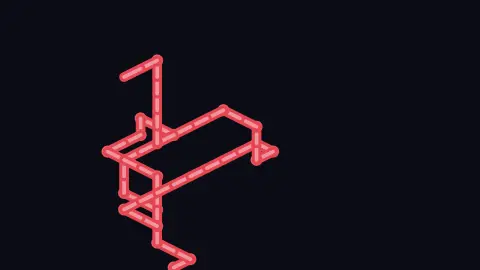
Press ESC to leave fullscreen. Settings are saved in your browser only.
How the 3D Pipes screensaver works
The pipe travels through a cubic grid (set by the Grid size control). Each step picks a free neighboring cell: 65% of the time it keeps going straight if it can, otherwise it turns. Visited cells are remembered so a pipe never crosses itself, and the 3D cell coordinates are flattened to the screen using an isometric projection.
When the path turns, a glossy ball joint is drawn at the corner — a radial gradient that goes from a lightened highlight to the base color, giving that rounded chrome look. Straight runs are drawn as thick rounded segments with a thinner, brighter highlight stroke down the middle to fake a specular sheen. Pipe thickness scales both.
If a pipe runs into a dead end with no free neighbors, a brand-new pipe sprouts from another empty cell. With New color each pipe enabled, every fresh pipe picks a random hue; turn it off and they all share the same cyan.
The whole thing resets once visited cells exceed half the cube's volume. At that point the saver gently fades the canvas to the background for about 1.8 seconds, clears the grid, and seeds a new run. Growth speed controls how many segments are added per second.
The Windows 3D Pipes saver and random-walk growth
The pipes pattern is a well-known screensaver from Windows. It came out of the OpenGL team at Microsoft, who wanted a visible way to show off hardware-accelerated OpenGL in Windows NT 3.5, and it was bundled alongside 3D Text, 3D Maze and 3D Flying Objects. Underneath it is a type of self-avoiding random walk: a path wanders through a lattice, picking its next cell at random from the neighbours that are still free.
A self-avoiding walk never visits the same lattice point twice, and physicists and chemists use such walks to model chain-like molecules such as polymers, because two segments of a molecule cannot occupy the same space. A walk grown one random step at a time has a known limitation that explains the saver: it can become trapped with no free neighbour left, and the process simply has to stop and start again. On a simple cubic lattice such walks typically run for thousands of steps before trapping, which is why a large grid fills up before pipes get stuck.
Preferring to go straight, instead of choosing every direction equally, produces long runs and fewer elbows, which looks designed even though it is only a bias in the choice. Elbow joints drawn as spheres hide the seams between straight segments, and an isometric or perspective view turns a plain grid into something that reads as three-dimensional.
A worked example
At the defaults — Growth speed 9, Pipe thickness 14px, Grid size 12, New color each pipe on — a pipe immediately seeds a visible run, then snakes outward adding roughly nine segments per second, mostly straight with occasional turns that each drop a shiny ball joint. Once it has filled about half of the 12×12×12 grid, the screen fades over ~1.8s and a new differently-colored tangle starts. Raise Grid size to 20 for finer, busier plumbing.
Settings & tips
- Lower Grid size (toward 6) for big chunky pipes that fill the screen fast; raise it toward 20 for a dense, intricate maze of thinner runs.
- Turn off New color each pipe for a uniform cyan look, or leave it on for the original random-color tangle.
- Pair a high Growth speed with a darker Background color so the glossy highlights and ball joints pop against the space behind them.
Frequently asked questions
- Is the 3D Pipes screensaver free?
- Yes. It runs free in your browser with no download or install. Open the page and the pipes start growing immediately.
- Is this the same as the Windows 95 3D Pipes screensaver?
- It recreates the look and behavior of the classic Windows 3D Pipes, including the random turns and shiny ball joints at corners, drawn in the browser in pseudo-3D.
- How do I exit the pipes screensaver?
- Press the ESC key to close it. Any mouse movement or click also returns you to the page.
- Why do the pipes start over?
- Once the pipes have filled about half of the 3D grid, the screen fades out and a fresh set of pipes begins growing from a new spot.
- Can I make the pipes thicker or change the grid?
- Yes. The Pipe thickness slider sets how fat the pipes look, and the Grid size slider controls how large the 3D space is before a reset.
- What is a self-avoiding walk?
- It is a path on a lattice that never visits the same point twice. It is a classic object in mathematics and statistical physics, used to model long molecules such as polymers.
- Why do pipes sometimes stop suddenly?
- A pipe can wall itself in so that every neighbouring cell is already occupied. With no legal move left the walk ends, which is a natural consequence of never crossing its own path.
- Where did the original screensaver come from?
- It was created by the OpenGL team at Microsoft for Windows NT 3.5, partly to show off hardware-accelerated OpenGL graphics.