Weather Wall Screensaver
The Weather Wall screensaver is a retro “local on the 8s” panel that cycles through major world cities, showing each one's live temperature, sky conditions and wind from the key-less Open-Meteo API. It's free, runs in your browser, and ESC exits.
Live preview
Press ESC to leave fullscreen. Settings are saved in your browser only.
How the Weather Wall screensaver works
A built-in list of two dozen major world cities is sent in a single request to Open-Meteo's free forecast API, which returns each city's current temperature, weather code and wind.
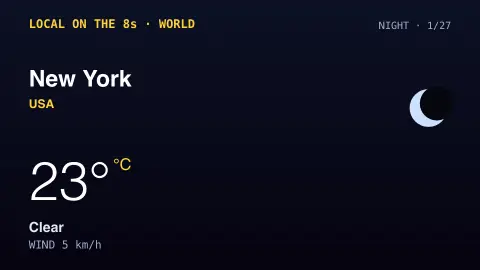
The saver cycles through the cities one at a time, drawing a big readout with the city, temperature, a simple condition icon and the wind, in an 80s Weather-Channel style.
A day/night tint follows each city's local daylight, so cities in darkness get a cooler palette.
The data refreshes every few minutes so the conditions stay current as you watch.
Open-Meteo, weather codes and city readings
Open-Meteo is an open-source weather API that combines forecasts from national weather services. Its default best_match option picks the highest-resolution regional model for each location, built on a global backbone of DWD ICON, NOAA GFS and ECMWF IFS, with other agencies such as Meteo-France also among its sources. Non-commercial use needs no API key; commercial use requires one.
The current values it returns come from forecast models for the coordinates you ask about, not from one particular thermometer. That explains small mismatches with a phone app or an airport's official report, which may use a different model or a nearby station. A city on a hill or coast can also feel quite different from the model's average for the area.
Conditions come as a numeric WMO weather code, a code defined by the World Meteorological Organization that Open-Meteo documents with a mapping to readable descriptions such as clear, fog, drizzle, rain, snow and thunderstorm. The display style borrows from the television channels of the 1980s that rotated through local conditions. The readings are current conditions, not forecasts, and severe weather decisions should rely on local official services.
A worked example
Set the units to Fahrenheit and the wall rolls through cities like TOKYO 24° Partly cloudy and LONDON 17° Light rain, each with a little drawn sun, cloud or storm icon and the wind speed. Turn the seconds-per-city down for a faster tour of the planet's weather.
Settings & tips
- Units switches between Celsius and Fahrenheit (and km/h vs mph).
- Seconds per city sets how long each city stays on screen.
- Accent recolours the panel highlights.
Frequently asked questions
- Is the weather real and live?
- Yes. Every city's temperature, conditions and wind come live from the free Open-Meteo API, refreshed every few minutes while it runs.
- Does it need an API key?
- No. Open-Meteo is free and key-less, so there's nothing to configure. It only needs an internet connection.
- Which cities are shown?
- A built-in spread of major world cities across every continent. They cycle one at a time so you see weather from around the globe.
- Can I add my own city?
- This saver uses a fixed world tour. For your own location, the Weather saver focuses on a single place you choose.
- Is it free?
- Yes — free, no download, and it runs entirely in your browser.
- Why might the temperature differ from my phone?
- Open-Meteo reports forecast-model values for the location, while phone apps may use a different model or a nearby station, so small differences are normal.
- What is a WMO weather code?
- It is a numeric code, defined by the World Meteorological Organization, that describes the weather in a standard way. Apps convert the code into icons such as sun, cloud, rain or snow.