GOES Earth Loop Screensaver
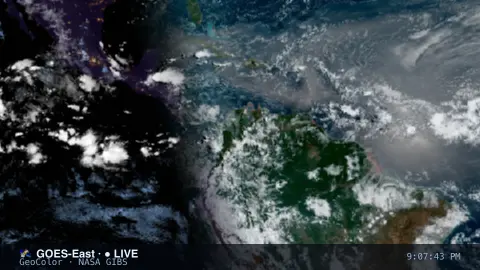
The Earth Loop screensaver is a live full-disk satellite view of the Earth's clouds from the GOES weather satellites via NASA GIBS, drifting slowly over the planet and refreshing to the newest frame. It's free, key-less, runs in your browser, and ESC exits.
Live preview
Press ESC to leave fullscreen. Settings are saved in your browser only.
How the Earth Loop screensaver works
The saver loads NASA GIBS map tiles for the GOES GeoColor mosaic — the same true-color satellite imagery you see in forecasts — with no key required.
It centers on the chosen satellite's view (GOES-East over the Americas or GOES-West over the Pacific) and composes the tiles into a seamless disc.
A slow drift pans gently over the clouds so the scene feels alive.
Every few minutes it re-pulls the latest GeoColor frame, so the weather you see stays current.
GOES satellites and GeoColor imagery
GOES stands for Geostationary Operational Environmental Satellite. A geostationary satellite orbits about 35,800 kilometres above the equator, a distance at which one orbit takes as long as Earth's rotation, so it appears fixed above one point and can watch the same hemisphere continuously. The operational pair is GOES-East, positioned near 75° West over the Americas and Atlantic, and GOES-West, positioned near 135° West over the Pacific.
GIBS, the Global Imagery Browse Services run by NASA, ingests satellite imagery, builds global mosaics and cuts them into pre-generated map tiles that web pages can stack together. GeoColor is a product developed at CIRA and NOAA's RAMMB: by day it is a true-colour image using a simulated green component, and at night it switches to infrared imagery, with blue tones for low liquid-water clouds such as fog and grey-to-white for higher ice clouds. Night-time city lights come from a fixed reference layer, not live observations.
Imagery is calibrated and processed, so there is a delay between observation and display. The full-disk view curves strongly near the edges, so features there look stretched. A single frame is a snapshot, and while the picture can show a storm system or smoke plume, it is not a forecast and does not identify the cause of what you see.
A worked example
The planet hangs there in true color, storm systems swirling across oceans and continents, the terminator line dividing day from night — all real GOES imagery, drifting slowly and quietly refreshing to the newest view from orbit.
Settings & tips
- Satellite chooses GOES-East (Americas) or GOES-West (Pacific).
- Loop speed sets how fast the view drifts.
- Background sets the space color.
Frequently asked questions
- Is this live satellite imagery?
- Yes. It's the GOES GeoColor mosaic served by NASA GIBS, refreshed to the latest frame every few minutes while it runs.
- Does it need a key?
- No. NASA GIBS imagery is free and key-less; the saver only needs an internet connection.
- Why does it drift instead of fast-animating?
- It shows the latest full-disk view with a gentle pan and refreshes to newer frames, keeping the imagery current and readable rather than choppy.
- What's the difference from Weather Radar?
- Radar shows precipitation over a region; Earth Loop shows the whole cloud field from a geostationary satellite.
- Is it free?
- Yes — free, no download, in your browser.
- Why does the image look different at night?
- GeoColor uses true-colour visible imagery by day and infrared imagery at night, so the night view shows cloud structure rather than true colour. The city lights are a fixed reference layer, not live.
- Why can I not see the poles clearly?
- A geostationary satellite sits over the equator, so high latitudes are seen at a very oblique angle and appear squashed at the edge of the disk.
- What is the difference between GOES-East and GOES-West?
- They sit at different longitudes, roughly 75° West and 135° West. GOES-East covers the Americas and Atlantic, while GOES-West covers the Pacific and western North America.