Starlink Tracker Screensaver
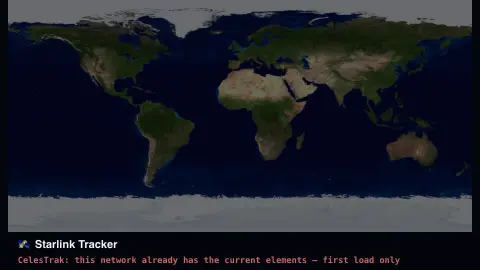
The Starlink Tracker screensaver shows the current Starlink satellite constellation positioned from real, current orbital element data, with a live satellite count — key-less, from CelesTrak. It's free, runs in your browser, and ESC exits.
Live preview
Press ESC to leave fullscreen. Settings are saved in your browser only.
How the Starlink Tracker screensaver works
The saver fetches the current set of Starlink orbital elements from CelesTrak, with no key required.
Each satellite's approximate current position is computed from its real orbital data.
Satellites are plotted over a world map, with optional trails showing their direction of travel.
A live count in the corner reflects the real, current size of the tracked constellation.
Tracking a mega-constellation from orbital elements
Starlink is SpaceX's satellite internet constellation, made up of thousands of small spacecraft in low Earth orbit. CelesTrak, a long-running public satellite-data site maintained by Dr. T.S. Kelso, publishes orbital element sets for these objects as a Starlink group. The data comes from fitting observations from the US Space Surveillance Network, and CelesTrak works with Space-Track to ingest it from the 18th Space Defense Squadron.
An element set is a compact description of an orbit at a particular moment, its epoch: inclination, eccentricity, orbit size, and where the satellite was along its path. The data is designed for use with the SGP4 propagator, which turns those numbers into a position at a later time. Because the model is an approximation and the satellites manoeuvre, accuracy falls the further you move from the epoch. The source data updates only a few times a day, so dots on a map are good to a rough neighbourhood rather than pinpoint precision.
The count in the corner reflects the satellites present in the published group, not a promise of how many are working. The list changes as new satellites are launched and old ones are retired. CelesTrak offers the data as CSV, JSON, OMM XML and the older TLE text format.
A worked example
The satellite count climbs over time as real launches add to the constellation — a genuine reflection of SpaceX's published orbital elements, not a fixed number.
Settings & tips
- Orbit trails toggles the direction-of-travel streaks.
- Accent recolours the satellite dots.
- Positions are approximated from orbital elements, not full precision propagation.
Frequently asked questions
- Is the satellite count exact?
- It reflects CelesTrak's current published catalog for Starlink, which is kept close to the real operational fleet.
- Is a key needed?
- No. CelesTrak's data is free and key-less.
- How precise are the positions?
- They're a lightweight approximation from real orbital elements, close enough for a live visualization but not launch-grade precision.
- Is it free?
- Yes — free, no download, in your browser.
- Why do the satellites look bunched in lines?
- Satellites share orbital planes, so many sit along the same track. Satellites launched together also start out close to one another before spreading apart.
- Can I use this to spot Starlink overhead?
- It shows the general layout of the constellation but is not a pass predictor. Whether one is visible from your location depends on sunlight, darkness and the exact timing.
- Does the list include satellites that have failed?
- The catalogue holds objects still being tracked and published, whether or not each is operational. An orbital element set says where something is, not whether it works.