Sine Scroller Screensaver
Sine Scroller is a free, in-browser screensaver in the style of a demoscene intro: a pixel-font message scrolls across the screen with every column lifted and lowered by a sine wave. You can type your own message, and ESC exits.
Live preview
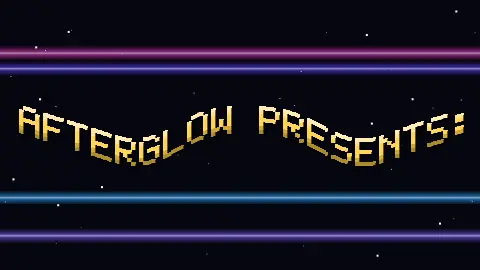
Press ESC to leave fullscreen. Settings are saved in your browser only.
How the Sine Scroller screensaver works
The message is set in a 5 by 7 pixel font. Every letter is drawn once into a sprite sheet with a vertical colour gradient and a drop shadow, sized to the screen.
Each frame the saver cuts the visible text into strips half a font pixel wide and draws each strip at its own height, given by a sine wave of the strip's screen position. The wave stays put on screen while the text slides through it, which is what makes the letters bob as they pass.
The wave length is kept long enough for its slope to stay gentle, so a taller wave is also a longer one and the text stays readable. A smaller second wave adds a little ripple.
Behind the text, four copper bars drift on their own sine paths and three layers of stars move left at different speeds. Letters the font does not have are shown as a question mark, and accents are stripped, so the text is always safe to draw.
Scrollers and the demoscene
Wikipedia's article on the demoscene says demos grew out of the animated crack screens that software crackers attached to games in the early 1980s, which began as plain text credits and became intros with animation and music. Its article on demo effects lists scrollers of various kinds among the old-school effects of the 1980s and early 1990s, first implemented on the Commodore 64, Atari ST or Amiga. It does not single out the sine scroller, so this page makes no claim about when or where that variant first appeared.
The message that ships with this saver is written for the site. It greets the demoscene as a whole and names no group. Replace it with anything you like.
Sources: en.wikipedia.org/wiki/Demoscene and en.wikipedia.org/wiki/Demo_effect, fetched while writing this page.
A worked example
At 1920 by 1080 the font pixel is 16 screen pixels, so each letter is 96 pixels wide with its gap, and about 20 letters fit on screen. The strips are 8 pixels wide, so the wave is sampled about 240 times across the width, and the scroll takes 0.16 screen widths per second at the default speed, a little over three letters a second.
Settings & tips
- Scroll message takes any text. Letters, numbers and common punctuation are supported; the rest show as a question mark.
- Wave amplitude at 0 gives a flat scroller; higher values make a taller, longer wave.
- Scroll speed changes how fast the text, stars and bars move.
- Text colour sets the base colour of the gradient.
- Press ESC to leave fullscreen.
Frequently asked questions
- What is a sine scroller?
- It is a scrolling text in which each column of the letters is moved up or down by a sine wave, so the line ripples as it passes. It was a common feature of demo and intro screens on home computers.
- What does the default message say?
- It introduces the effect, notes that the visuals are drawn live in your browser with no video or image files, sends greetings to the demoscene in general, and tells you ESC exits. It does not refer to any real group.
- Can I change the text?
- Yes, type it into the Scroll message option. It is shown in capitals; accents are removed and unsupported characters appear as a question mark.
- Is it free?
- Yes. It runs free in your browser with no download, account or key.
- Is my message sent anywhere?
- No. The text stays in your browser and is only used to draw the scroller.
- Why is the wave not taller?
- A tall, short wave tears the letters apart because neighbouring strips end up far apart vertically. The saver lengthens the wave as the amplitude rises to keep the text readable.
- Does it use real fonts?
- No. It uses a small built-in 5 by 7 pixel font, so it looks the same on every device.