Custom Message Screensaver
The Custom Message screensaver displays any text you type and animates it across a full-screen canvas. You can make your message bounce around the screen, scroll sideways like a marquee, or pulse in place, in any color and size you choose. It runs free in your browser with no download and no internet connection required, and you press ESC at any time to exit.
Live preview
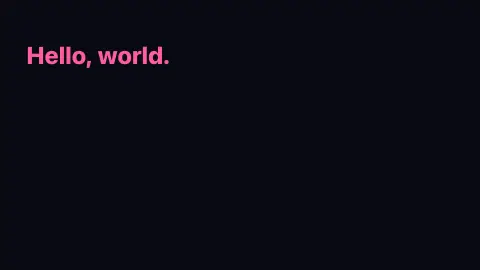
Press ESC to leave fullscreen. Settings are saved in your browser only.
How the Custom Message screensaver works
Your text is drawn directly onto an HTML canvas using the browser's own font rendering, so there is no image to load and nothing to download. The size control scales the font to a percentage of the screen's shorter side, so the same message looks right on a phone or a large monitor.
The Motion setting picks one of three behaviours. Bounce around sends the text drifting diagonally and reflecting off all four edges, like the classic DVD logo. Scroll sideways runs it as a continuous right-to-left marquee that loops forever. Pulse in place centers the text and gently grows and shrinks it with a sine wave.
Everything is computed locally each frame from your Speed, Text color and Background settings, so the saver works completely offline. There is no live feed and no fallback to worry about — it looks identical whether you are online or opened it straight from a file.
The bouncing logo and the marquee
The bouncing text echoes the DVD-player logo, a screensaver built into DVD players that drifts across a black screen and changes direction at each edge. Viewers famously watch for the moment it lands exactly in a corner. That depends on the screen size, the size of the text, the speed and the starting direction, so a corner hit is a matter of arithmetic rather than luck; published estimates of the wait for the DVD logo range from a couple of minutes to well over half an hour, depending on those variables.
The sideways scroll borrows from the marquee, a scrolling-text format that early web pages implemented as an HTML marquee element. That element is now deprecated, and MDN recommends CSS animations with transforms instead, including a prefers-reduced-motion rule that stops the movement for people who prefer less motion.
Readability is the practical design question. Large, high-contrast text reads from across a room, and short messages work best because viewers glance and look away. A screensaver suits a quick note, but it should not be relied on for anything urgent.
A worked example
With the defaults — message “Hello, world.”, motion Bounce around, size 9% of the screen and speed 4 in hot pink (#ff5da2) on a near-black background — the words drift across the screen at a shallow angle and snap off each wall, changing direction on every edge while staying the same size.
Settings & tips
- Switch Motion to “Scroll sideways” for a true ticker-style marquee, or “Pulse in place” for a steady centered announcement.
- Push the Text size slider toward 18% for a short word like “BRB” and drop it lower for a long sentence so it fits without clipping.
- Pair a bright Text color with a dark Background for the most readable, glowing effect on an idle screen.
Frequently asked questions
- Is the custom message screensaver free?
- Yes. It is completely free, runs in your browser, and there is nothing to install or sign up for. Press ESC to exit at any time.
- How do I change the message text?
- Open the settings panel and type into the Your message field. The text updates live on screen as you edit it.
- Does the message screensaver need an internet connection?
- No. It draws your text entirely in the browser with no live data, so it works fully offline, including when opened straight from a file.
- Can I make the text scroll like an old marquee?
- Yes. Set Motion to Scroll sideways and the message runs as a continuous right-to-left marquee that loops forever.
- How do I exit the screensaver?
- Press the ESC key. You can also move the mouse or press any key to leave the full-screen view.
- Why do bouncing logos rarely hit the corner?
- The text must reach two walls at the same instant, which depends on the screen dimensions, the text size, the speed and the starting direction. Only particular combinations produce it, which is why viewers get excited when it happens.
- What was the HTML marquee tag?
- An element that scrolled text across a web page. It is now deprecated, and MDN recommends CSS animations instead, with a prefers-reduced-motion rule for people who want less movement.
- What makes a message readable from a distance?
- Large letters, strong contrast with the background and a short line of text.