Countdown Timer Screensaver
The Countdown Timer screensaver shows a large countdown to a moment you choose, or runs a simple minute timer for focus sprints. It uses your device's own clock to measure the time remaining, so it stays accurate even if you switch away and come back. It runs free in your browser with no download, and ESC exits.
Live preview
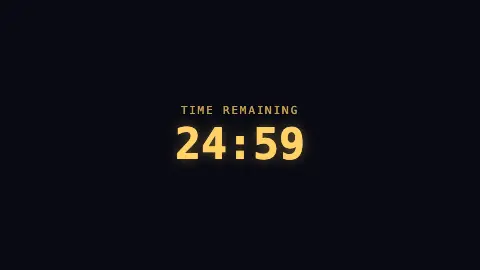
Press ESC to leave fullscreen. Settings are saved in your browser only.
How the Countdown Timer screensaver works
When it starts, the saver works out an end time. In minute-timer mode it adds your chosen number of minutes to the current moment; in date-and-time mode it parses your target date. Every quarter second it subtracts the current time from that end point.
Because the end time is fixed up front and compared against Date.now() on every tick, the readout is self-correcting - if your machine sleeps or the tab pauses, the timer still shows the true time remaining when it wakes.
The remaining milliseconds are broken into days, hours, minutes and seconds. Days and hours only appear once they are non-zero, so a short timer reads as a clean MM:SS while a long one expands to show days. A caption sits above the big figures.
When the count reaches zero the figures are replaced by your finished message. If date mode is selected with no target set, it prompts you to pick a date and time instead.
Counting down to the moment
The backwards count has a film origin in popular accounts. Fritz Lang's 1929 film Woman in the Moon (Frau im Mond) is widely credited with the first countdown before a rocket launch, used to build suspense, and the rocket pioneer Hermann Oberth advised on the production. Accounts of exactly who devised it differ, and the sources are mostly secondary. Today countdowns are used for space launches, new year events, product reveals and sports clocks.
Doing a countdown correctly on a computer takes a little care. A timer that simply subtracts one every second drifts if the program pauses or the machine is busy. A more robust approach is to fix the end time in advance and compute the remaining time from the current clock on each tick. That way the readout stays correct after a delay.
Time zones and clocks also matter. A target date entered without a zone is typically read as local time, so the same countdown ends at different absolute moments for people in different places, and daylight saving shifts can add or remove an hour. For anything with a firm deadline, check the zone as well as the date.
A worked example
Settings & tips
- Switch Mode to Date & time and set a Target date & time to count down to a launch, party or deadline.
- Change the Caption and Finished message to fit the moment, like "Back in" and "Let's go!".
- Use the longer Timer length range (up to 180 minutes) for a Pomodoro-style focus sprint left on a spare screen.
Frequently asked questions
- Can I count down to a specific date and time?
- Yes. Set Mode to Date & time, then pick your Target date and time. The saver counts down to that exact moment and shows days, hours, minutes and seconds as needed.
- Does the countdown stay accurate if my screen sleeps?
- Yes. The end time is fixed when the timer starts and compared against your device clock on every update. When the screen wakes, it shows the true time remaining, not a paused figure.
- Can I run a simple focus timer with it?
- Yes. Leave Mode on Minute timer and set Timer length from 1 to 180 minutes. It is handy as a Pomodoro or be-right-back timer on a spare monitor.
- What happens when the countdown reaches zero?
- The figures are replaced by your Finished message, which defaults to Time's up. You can change that message in the settings to anything you like.
- Is the countdown timer screensaver free?
- Yes. It runs entirely in your browser with no download, account or payment. Press ESC at any time to exit full screen.
- Who invented the countdown?
- It is often credited to Fritz Lang's 1929 film Woman in the Moon, though the sources are secondary and accounts differ on the details.
- Why do countdowns use the system clock?
- Comparing against the real clock keeps the display accurate even if the timer is paused or delayed.
- Does daylight saving affect a countdown?
- It can. A target date spanning a clock change contains an hour more or fewer than the date difference suggests.