Rotozoomer Screensaver
Rotozoomer is a free, in-browser screensaver that recreates a classic demoscene effect: one small tile is rotated and zoomed to fill the whole screen. The tile is generated in code, and ESC exits at any time.
Live preview
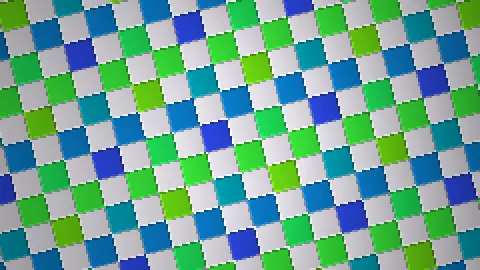
Press ESC to leave fullscreen. Settings are saved in your browser only.
How the Rotozoomer screensaver works
The picture is a 256 by 256 tile generated when the saver starts: a bevelled checkerboard, plasma-coloured bricks, concentric rings, or a grid of pixel-font letters. Each tile is built so its edges join, so it repeats seamlessly in every direction.
For every output pixel the saver works out which point of the tile it shows. Stepping one pixel to the right moves a fixed distance across the tile in a rotated direction, and stepping one row down moves a perpendicular distance. Rotation and zoom are just the angle and length of those two steps, so each pixel costs two additions and one lookup.
The angle drifts back and forth while turning, the zoom swings between roughly 0.8 and 2.6 tiles down the screen, and the centre point wanders slowly, which keeps the motion from looking mechanical.
The image is rendered into a small offscreen canvas and then drawn to the screen with smoothing turned off, so each rendered pixel becomes a crisp square. Pixelation sets the size of those squares; on a small tile the size is reduced so it does not collapse into a few blocks.
Rotozoomers in the demoscene
Wikipedia's article on demo effects lists the rotozoomer among the chunky-pixel effects that were typical of the mid and late 1990s and were usually first implemented on the PC or the Atari Falcon030. The same article says the group Sanity built an Amiga rotozoomer from a mix of pre-rendered bitmaps and copper effects, which shows how much harder it was on hardware without chunky pixel graphics.
The technique is a simple coordinate transform: rotate and scale the texture coordinates, then read the tile at the result. What made it a demo staple was doing that for every pixel of a screen at frame rate on slow processors, which is why many demos rendered at a reduced resolution, as this saver does.
Source: en.wikipedia.org/wiki/Demo_effect, fetched while writing this page.
A worked example
On a 1920 by 1080 screen with Pixelation 4, the effect renders at 480 by 270, which is 129,600 pixels per frame, then scales it up four times. At Pixelation 8 that falls to 240 by 135, or 32,400 pixels, so it is cheaper per frame but visibly chunkier.
Settings & tips
- Texture swaps the tile: Checker, Plasma bricks, Rings or Glyph tile.
- Speed scales rotation, zoom and drift together.
- Pixelation raises the size of each rendered pixel; lower values are sharper and use more processing.
- Glyph tile spells out a short row of letters you can read when the zoom is in close.
- Press ESC to leave fullscreen.
Frequently asked questions
- What is a rotozoomer?
- A rotozoomer is a demo effect that rotates and scales an image at the same time, filling the screen with the tiled result. It was a showpiece because per-pixel texture mapping was expensive on the machines of the time.
- Are any image files used?
- No. All four tiles are generated by code when the saver starts, so nothing is downloaded.
- Why does it look blocky?
- It is drawn at a reduced resolution on purpose and scaled up without smoothing, which is the chunky-pixel look of 1990s demos. Lower the Pixelation setting for a finer picture.
- Is it free?
- Yes. It runs free in your browser with no download, account or key.
- Will it be heavy on my computer?
- Each frame is a short loop over a few tens of thousands of pixels at the default setting, with no allocation, so it is light. A very large screen with Pixelation 2 renders far more pixels and costs more.
- Is this how the original demos did it?
- The principle, stepping through a texture along a rotated direction, is the same. Original demos were hand-tuned for each machine's hardware; this one is plain browser code.
- Why do some textures show faint seams?
- They should not. If you see one, the cause is the tile edge; the tiles are built so edges match, so please treat a visible seam as a bug.