Copper Bars Screensaver
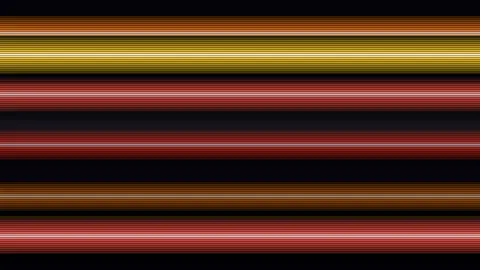
Copper Bars is a free, in-browser screensaver that recreates the Amiga raster-bar effect: glossy horizontal bars glide on sine paths and pass in front of and behind one another. It runs live from code, with no download, and ESC exits at any time.
Live preview
Press ESC to leave fullscreen. Settings are saved in your browser only.
How the Copper Bars screensaver works
Each bar is a thin gradient sprite whose rows run from a dark edge, through the bar colour, to a near-white highlight line in the middle and back out. The sprite is stretched across the full width of the screen, so one drawing call paints one whole bar.
The bars sit on a ribbon. Bar number i gets an angle that grows with time plus a fixed step per bar, and its vertical position is the sine of that angle. Depth runs on a separate, slower phase, so two bars that cross on screen can swap which one is in front.
Every frame the bars are sorted by depth, far ones first, and drawn in that order. Far bars are darkened and drawn a little thinner, and each bar casts a faint shadow over the ones behind it, which is what makes a crossing read as one bar passing over another.
The optional Raster-line shimmer overlays a dark line on every second row, like the scanlines of a CRT, and sweeps a faint bright band slowly down the screen. It does not flicker. The effect is cheap: a few drawing calls per bar and no per-pixel work.
Where raster bars come from
The Amiga's custom chips included a small co-processor called the Copper, whose name is short for co-processor. According to the Wikipedia article on the Original Chip Set, it runs a programmed list of instructions in step with the video beam and can change colour registers part-way through a frame, which produces the raster-bars effect seen in many Amiga games. The Original Chip Set appeared in Amiga models built between 1985 and 1990.
Wikipedia's article on demo effects lists raster bars, also called copper bars on the Amiga, among the old-school effects of the 1980s and early 1990s, first implemented on the Commodore 64, Atari ST or Amiga. This screensaver borrows the look only. It uses an ordinary browser canvas, so there is no Copper list and no scanline timing involved.
Sources: en.wikipedia.org/wiki/Original_Chip_Set and en.wikipedia.org/wiki/Demo_effect, both fetched while writing this page.
A worked example
With the defaults, Amiga fire palette, 8 bars and speed 5, the ribbon of bars turns slowly while the spacing between bars widens and narrows over about 30 seconds. Raise the bar count to 16 and the ribbon becomes dense, with bars overlapping continuously; drop it to 3 and each bar crosses the screen alone.
Settings & tips
- Palette changes the colour set the bars cycle through; Rainbow gives each of up to eight bars its own hue.
- Bar count sets how many bars are on the ribbon, from 3 to 16.
- Turn Raster-line shimmer off for a cleaner, flat look.
- Background sets the colour behind the bars; dark colours show the bar edges best.
- Press ESC to leave fullscreen.
Frequently asked questions
- What are copper bars?
- Copper bars, also called raster bars, are horizontal bands of colour that were a staple of Amiga demos and games. The name comes from the Amiga's Copper co-processor, which could change colour registers while the screen was being drawn.
- Is this how the Amiga actually did it?
- No. The Amiga changed the background colour on chosen scanlines as the picture was drawn. This screensaver paints stretched gradient sprites on a canvas and sorts them by depth, which gives the same look but a different mechanism.
- Why do the bars pass in front of and behind each other?
- Each bar has a depth value that changes on its own phase. The bars are sorted by that value every frame, so a bar that was behind another can move in front of it.
- Is the screensaver free?
- Yes. It runs free in your browser with no download, account or key.
- Does the shimmer flicker?
- No. It is a static scanline pattern plus a slow, faint band drifting down the screen, with no full-screen flashing.
- Can I use my own colours?
- The bar colours come from the five built-in palettes. You can change the background colour; the bars themselves are not individually colourable.
- Will it slow down my computer?
- It should not. Each frame is a handful of image-stretch calls and one sort of at most 16 items, with no per-pixel work.