Shark Tracker Screensaver
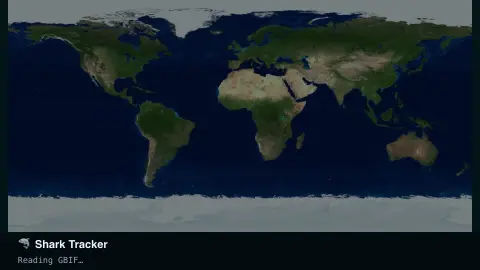
The Shark Tracker screensaver plots recent, scientifically verified shark occurrence records on a world map — pulsing dots colored by species, pulled live and key-less from GBIF, the global open biodiversity data network. It's free, runs in your browser, and ESC exits.
Live preview
Press ESC to leave fullscreen. Settings are saved in your browser only.
How the Shark Tracker screensaver works
The saver queries GBIF's occurrence API for the most recent verified shark records worldwide, with no key required.
Each record pulses onto a world map at its recorded coordinates, colored by species, and fades as newer ones arrive.
A running tally in the corner counts sightings by species since you started watching.
Pick a species filter — great white, tiger, hammerhead — or leave it on all sharks for the full mix.
What a shark occurrence record really is
GBIF, the Global Biodiversity Information Facility, is an international network and data infrastructure funded by the world’s governments, aiming to give anyone open access to data about life on Earth. Its basic unit is the occurrence record: evidence that a species occurred at a particular place and time. Each record states its basis, such as a human observation, a preserved museum specimen or a machine observation.
That makes each dot on the map a documented observation, not a live position of a particular animal. Records reach GBIF through data publishers such as museums, research institutions and citizen-science projects, so they arrive on very different timescales and from very different methods. GBIF’s best-practice guidance also describes cases where coordinates for sensitive species are deliberately generalised before publication, so a dot is not always the exact spot.
The pattern on the map therefore reflects both sharks and the people who report them. Records are likely to cluster where observers are active and be sparse where few people look, so a cluster is not a measure of abundance and an empty area is not proof of absence. Publishers must attach one of three Creative Commons licences (CC0, CC BY or CC BY-NC) to occurrence datasets.
A worked example
Set it to Great white and dots begin landing off South Africa, California and South Australia — the well-known aggregation zones — each one a real logged record, not a simulation.
Settings & tips
- Species narrows the map to one shark species.
- Accent recolours the pulse dots.
- Records can be sparse for rare species — that's real reporting frequency, not a broken feed.
Frequently asked questions
- Are these live tag pings?
- No — GBIF aggregates verified occurrence records (sightings, catches, tagged returns) from museums and researchers worldwide, refreshed continuously but not a real-time GPS tag feed.
- Is a key needed?
- No. GBIF's public API is free and key-less, with no signup.
- Why do some species show few dots?
- Verified records depend on real research and citizen-science reporting, so rarer or deep-water species naturally have fewer entries.
- Does it work offline?
- It needs an internet connection to reach GBIF; without one it shows a waiting state.
- Does a dot mean a shark was there just now?
- No. Each dot is a recorded observation with its own date, not a live position. Records reach GBIF through publishers on different schedules, so the map is a sample of what has been reported.
- Why are the records clustered in some places?
- Occurrence records come from people and projects that observe and report, so areas with more observers tend to have more records. An empty area does not prove sharks are absent.
- Who contributes records to GBIF?
- Data publishers such as museums, research institutions and citizen-science projects. GBIF requires occurrence datasets to carry one of three licences: CC0, CC BY or CC BY-NC.