Featured Article Screensaver
The Featured Article screensaver is a calm reader for Wikipedia's Today's Featured Article — the hand-picked best of the encyclopedia — turning to a fresh story each day, from the Wikimedia feed. It's free, runs in your browser, and ESC exits.
Live preview
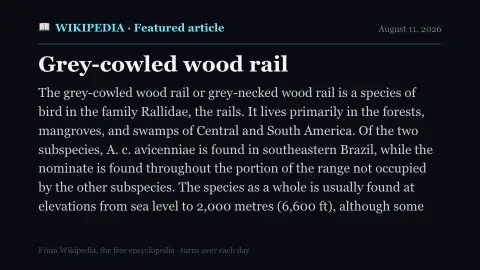
Press ESC to leave fullscreen. Settings are saved in your browser only.
How the Featured Article screensaver works
The saver fetches Wikipedia's Today's Featured Article from the key-less Wikimedia REST feed.
It lays out the title and summary as a clean, quiet reading page in a serif type.
If the summary is long it drifts gently so you can read the whole thing without touching anything.
Each day Wikipedia chooses a new featured article and the page turns over to it automatically.
How Wikipedia picks its featured article
Wikipedia’s Today’s Featured Article is an entry on the main page chosen from the articles the community regards as among the best Wikipedia has to offer. To qualify, an article is nominated at featured article candidates and reviewed for criteria such as being well written, comprehensive, well researched, neutral and stable. Only about 0.1% of English Wikipedia’s articles hold the status.
Designated volunteers select which featured article appears on the main page on a given day, working through a requests page. The Wikimedia REST interface republishes a summary of the article along with links, a thumbnail and a short description. The text is available under a Creative Commons licence, and the full article remains on Wikipedia with its references.
A featured article is not a guarantee of truth. Wikipedia can be edited by anyone, articles reflect available published sources, and an article that passed review years ago may have drifted or become outdated. Articles that no longer meet the standards can be taken to featured article review and have the status removed. Treat the summary as a starting point and follow the sources for anything important.
A worked example
The page opens to the day's pick — perhaps a medieval cathedral, a deep-sea creature or a forgotten battle — its title in serif across the top and a few calm paragraphs of summary drifting slowly below.
Settings & tips
- Accent recolours the masthead.
- Background sets the page colour.
- The article changes automatically each day.
Frequently asked questions
- Is the article today's?
- Yes. It comes from Wikipedia's Today's Featured Article feed, so it matches the article featured on the front page today.
- Where does the text come from?
- From the Wikimedia REST feed's summary of the featured article — a few paragraphs, not the whole page.
- Does it need a key?
- No. The Wikimedia feed is free and key-less and CORS-enabled, so the saver reads it directly in your browser.
- Does the article change?
- Yes. Wikipedia picks a new featured article each day, and the page turns over to it automatically.
- Is it free?
- Yes — free, no download, in your browser.
- What makes an article featured?
- It must pass community review at featured article candidates against criteria including being well written, comprehensive, well researched, neutral and stable.
- Can an article lose featured status?
- Yes. An article that no longer meets the standards can be brought to featured article review, where it is either improved or removed from the list.
- Is the text free to reuse?
- Wikipedia text is released under Creative Commons Attribution-ShareAlike, which allows reuse with credit and under the same terms. Individual images can have different licences.