Wikipedia Translation Pulse Screensaver
The Wikipedia Translation Pulse screensaver shows edits happening right now across Wikipedia's many language editions, grouped by language, drawn key-less and live from Wikimedia's real-time event stream. It's free, runs in your browser, and ESC exits.
Live preview
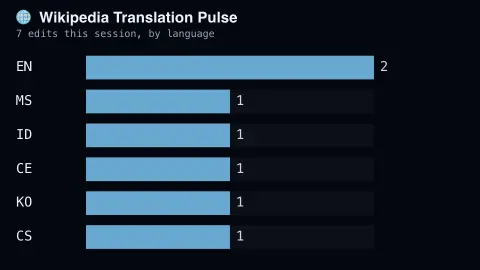
Press ESC to leave fullscreen. Settings are saved in your browser only.
How the Wikipedia Translation Pulse screensaver works
The saver opens a live connection to Wikimedia's public EventStreams service, with no key required.
Each edit is tallied against its real language edition as it happens.
A ranked live bar chart shows which languages are most active right now.
The connection reconnects automatically if the stream drops.
Wikipedia's many languages, edited at once
Wikipedia is not one encyclopedia but a set of language editions: by Wikipedia’s own list, articles have been created in 364 editions, of which 348 are currently active. They share a community of volunteer editors in the broad sense, but their sizes differ enormously, and an article on the same subject can differ greatly between languages.
Wikimedia publishes a public service called EventStreams that streams structured event data over HTTP using the Server-Sent Events protocol, with clients able to resume after a disconnect using event IDs. Its recent-changes stream carries MediaWiki recent-changes events, and each event names the wiki where it happened and the page and user involved. Grouping by wiki gives a quick picture of which language communities are busy at this moment.
A few cautions help when reading the ranking. Time zones matter: activity follows the waking hours of the speakers, so editions rise and fall through the day. Edit counts measure the number of changes, not their quality or the amount of text, so a flurry of tiny fixes outranks one major rewrite. And counts should not be mistaken for the size of a language’s speaker population.
A worked example
English and German editions usually lead the pulse, but watch closely and you'll see genuine bursts of activity in smaller editions too — real global editing happening live.
Settings & tips
- Accent recolours the active-language bars.
- This mirrors the site's Wikipedia Live Edits saver but ranks by language instead of showing individual edits.
- Activity naturally follows real regional daytime hours.
Frequently asked questions
- Is this live?
- Yes — it streams real Wikipedia edits the moment they happen, across every language edition.
- Is a key needed?
- No — Wikimedia's public EventStreams service is free and key-less.
- How is this different from Wikipedia Live Edits?
- That saver lists individual edits; this one aggregates live activity by language into a ranked chart.
- Is it free?
- Yes — free, no download, in your browser.
- Why is one language sometimes far ahead of the others?
- It may simply be the time of day for that community, or a burst of automated or bulk activity on that wiki. Edit volume is not the same as speaker numbers.
- Does this count translations of articles?
- No. It counts changes as reported by each language edition, whatever their content. The name refers to the multilingual spread, not a translation workflow.
- What is the stream built on?
- Wikimedia’s EventStreams service, which delivers events over HTTP using Server-Sent Events, so a browser can keep one connection open and receive changes as they are published.