Hacker News Wire Ticker Screensaver
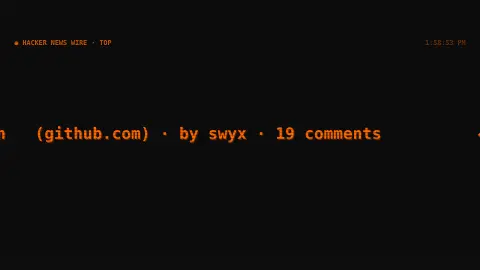
The Wire Ticker screensaver is a teletype-style ticker that scrolls live Hacker News headlines with their points and comment counts across the screen, fetched straight from the key-less Hacker News API. It's free, runs in your browser, and ESC exits.
Live preview
Press ESC to leave fullscreen. Settings are saved in your browser only.
How the Wire Ticker screensaver works
The saver reads the Hacker News API for the current top, newest or best stories — a public, key-less feed from Y Combinator.
It fetches each story's title, score, comment count and link domain, then lays them end to end as a continuous ticker.
The headlines scroll smoothly in a monospace CRT style, looping seamlessly around the list.
The feed refreshes in the background every minute, swapping in new stories without interrupting the scroll.
A tech news site and how its ranking works
Hacker News is a social news site focused on computer science and entrepreneurship, owned by Y Combinator, the startup accelerator. Paul Graham created it in 2007, first as Startup News, and its guidelines define on-topic content as anything that gratifies one’s intellectual curiosity.
Ranking blends votes and age: according to the site’s FAQ, stories are ranked by points divided by a power of the time since submission. Other factors also matter, including user flags, anti-abuse software, software that demotes overheated discussions, and moderator action. This is why the top list changes over a day and why even a popular story eventually leaves the front page.
Some labels in titles are conventions. Show HN marks something the poster has made that others can try, and Ask HN marks a question or text post for the community. The data comes from an official, read-only API, published in partnership with Firebase, that exposes each item’s title, score, comment count and link, and offers lists of top, new and best story IDs. Points reflect the interest of one community, so they are a rough signal rather than a measure of importance.
A worked example
Across the bottom of your screen flows a steady stream like ▲342 Show HN: … (github.com) · by pg · 88 comments, one story after another, refreshing quietly so the latest front-page discussion is always rolling past.
Settings & tips
- Feed switches between top, newest and best stories.
- Scroll speed sets how fast the ticker moves.
- Accent recolours the headline highlights.
Frequently asked questions
- Are the headlines live?
- Yes. They come from the Hacker News API and refresh every minute, so the ticker tracks the current front page.
- Does it need an API key?
- No. The Hacker News API is public and key-less; the saver just needs an internet connection.
- Can I read the linked articles?
- It's a display-only ticker, so it shows titles, scores and comment counts rather than opening links.
- Which stories does it show?
- Whichever feed you pick — top, newest or best — starting from the current front of that list.
- Is it free?
- Yes — free, no download, runs in your browser.
- What does Show HN mean?
- It labels a post where someone shares something they have made that others can try out, such as a project or tool. Ask HN marks a question for the community.
- Why can a story with many points rank below one with fewer?
- Age counts against a story, since ranking divides points by a power of the time since submission. Flags, anti-abuse software and moderators can also change the order.
- What is the domain shown beside a headline?
- It is the website the story links to, which helps you judge the source at a glance. Text posts such as Ask HN have no external link.