Update in Progress Screensaver
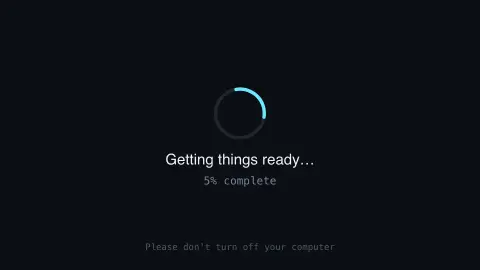
The Update in Progress screensaver shows a convincing fake system update screen with a progress ring that never quite reaches 100%. It is free, runs in your browser, and ESC exits.
Live preview
Press ESC to leave fullscreen. Settings are saved in your browser only.
How the Update in Progress screensaver works
The saver renders a familiar full-screen "update in progress" layout with a spinning progress indicator.
The percentage creeps forward but is deliberately designed to never complete, for a convincing but harmless effect.
Nothing is installed, downloaded, or changed on your real system — it is purely a visual screensaver.
Press any key or move the mouse to exit, like any other screensaver.
The long history of the endless progress bar
A progress bar promises that a wait will end, and it is hard to make that promise honest. Tasks such as an operating system update consist of steps that take very different amounts of time, so a bar tied to the number of finished steps can leap forward and then sit still, and estimating remaining time involves guesses that can be badly wrong.
Researchers have shown that the behaviour of a progress bar changes how long a wait feels without changing how long it actually is. A 2007 paper by Harrison, Amento, Kuznetsov and Bell, “Rethinking the Progress Bar”, argued that people do not perceive the passage of time linearly, and that knowing which behaviours shorten or lengthen perceived duration lets designers build bars that appear faster. A later study by Harrison, Yeo and Hudson, “Faster Progress Bars”, extended this to visual attributes of the bar.
This page borrows the look of a full-screen system update for fun. No real update is occurring and nothing on your computer is being changed. Be cautious if an update prompt appears in a browser tab claiming to fix your computer: real operating system updates are delivered through the system’s own update settings, not through a web page.
A worked example
Left running on a shared screen, it reads exactly like a real pending update — good for a harmless prank or just a familiar, calming waiting-room aesthetic.
Settings & tips
- Accent recolours the progress ring.
- Nothing real is being installed — it is a visual effect only.
- Great for a lighthearted office prank.
Frequently asked questions
- Does this actually update anything?
- No — it is a purely visual screensaver effect. Nothing on your system changes.
- Will the progress bar ever finish?
- By design, no — it loops convincingly forever.
- Is a key needed?
- No — it runs entirely locally with no network requests.
- Is it free?
- Yes — free, no download, in your browser.
- Why do real progress bars stall?
- The steps of a task take different amounts of time and the remaining time is hard to predict, so a bar based on finished steps can sit still while a slow step completes.
- Can a progress bar change how long a wait feels?
- Yes. Research from Carnegie Mellon University and AT&T Labs found that bars can be designed so a wait appears shorter without changing its real duration.
- Is a fake update page dangerous?
- This screensaver is harmless, but a fake update prompt on a website can be used to trick people into installing something unwanted. Run updates from your device’s own update settings.