Low Battery Warning Screensaver
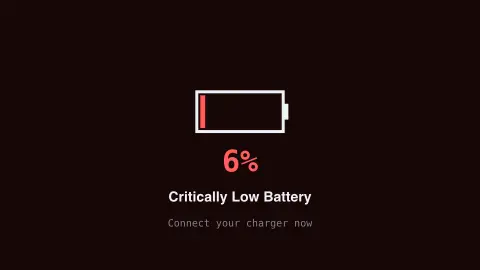
The Low Battery Warning screensaver shows a convincing fake critical-battery warning screen with a draining battery icon. It is free, runs in your browser, and ESC exits.
Live preview
Press ESC to leave fullscreen. Settings are saved in your browser only.
How the Low Battery Warning screensaver works
The saver renders a familiar critical-battery warning layout with a slowly draining battery icon.
The percentage ticks down convincingly, with an urgent red glow for extra effect.
Your real device battery is never read or affected — it is a purely visual screensaver.
Press any key or move the mouse to exit, like any other screensaver.
Why battery warnings look the way they do
A low battery warning is a design problem about attention. Phones and laptops have to interrupt you while there is still time to act, and many systems escalate from a first notice to a final alert before the device hibernates or shuts down. Red or amber colours and a depleted icon are common because they signal urgency without needing words.
The percentage on a real device is an estimate, not a direct measurement. Battery fuel gauges infer remaining charge from measurements such as voltage and current, which is why Battery University notes that a smart battery or device may need periodic fuel-gauge calibration, and why the figure can shift when load or temperature changes. Lithium-ion cells are also generally kept above a minimum voltage, because fully discharging them increases capacity loss, so zero percent is not truly empty.
This display is a pure animation that imitates that look. It has no access to your battery and does not measure anything, and the countdown is scripted for effect. It is a quick way to convey a feeling of urgency, not a diagnostic.
A worked example
Left running on a laptop that is actually fully charged, it reads exactly like a real critical-battery alert — a favorite harmless desk prank.
Settings & tips
- Accent recolours the warning glow.
- Your real battery level is never read.
- A classic, harmless desk prank.
Frequently asked questions
- Does this read my real battery level?
- No — it never accesses your device's real battery status.
- Will my computer actually shut down?
- No — it is a purely cosmetic screensaver effect.
- Is a key needed?
- No — it runs entirely locally.
- Is it free?
- Yes — free, no download, in your browser.
- Why does a real battery percentage sometimes jump?
- The figure is an estimate from measurements such as voltage and current, so changes in load, temperature or the cell's condition can make it correct itself abruptly. Devices can also need fuel-gauge calibration.
- Is zero percent actually empty?
- Usually not. Lithium-ion cells are generally not run all the way down, because deep discharge increases capacity loss, so devices shut down with some reserve left.