Corrupted File Warning Screensaver
The Corrupted File Warning screensaver shows a convincing fake "file corrupted" warning with glitching text and a repair progress bar. It is free, runs in your browser, and ESC exits.
Live preview
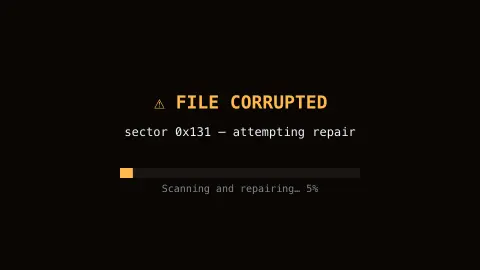
Press ESC to leave fullscreen. Settings are saved in your browser only.
How the Corrupted File Warning screensaver works
The saver renders a fake warning dialog with deliberately glitching, jittering text for effect.
A "scanning and repairing" progress bar creeps forward, looping convincingly without ever completing.
No real files on your system are touched, scanned, or modified — it is purely a visual effect.
Press any key or move the mouse to exit, like any other screensaver.
The anatomy of a fake error dialog
The fake system warning is a familiar visual joke: a box with an icon, a short message and a row of buttons is so recognisable that an imitation registers before the words are read.
The glitching text borrows from real data corruption. Text decoded with the wrong character encoding turns into garbled, unrelated symbols, a failure known as mojibake, and software often shows a replacement character (U+FFFD, �) where bytes cannot be interpreted. Glitch art makes a deliberate method of such digital errors, so jittering and substituted glyphs read as damage.
Nothing here touches your files. The display is drawn entirely on screen as an animation, which is why the repair bar can loop without ever finishing. The effect comes from the mild alarm of a plausible dialog on a machine you left idle, followed by recognising the trick.
A worked example
The glitching warning text stutters and flickers just as the progress bar restarts a fresh repair pass, looping the illusion convincingly.
Settings & tips
- Accent recolours the warning glow.
- No real files are touched — it is a visual effect only.
- A classic, harmless desk prank.
Frequently asked questions
- Does this corrupt or repair real files?
- No — it never touches your real files. It is a purely cosmetic screensaver effect.
- Is a key needed?
- No — it runs entirely locally.
- Is it free?
- Yes — free, no download, in your browser.
- Will it ever finish repairing?
- By design, no — it loops convincingly forever.
- Why does the progress bar never finish?
- It is a decorative animation with no real task behind it, so it is designed to creep or loop rather than reach completion.
- What do the garbled characters represent?
- They imitate the look of corrupted text, such as bytes decoded with the wrong encoding (mojibake) or replacement characters, which are classic visual signs of damaged data.
- Could someone mistake it for a real warning?
- At a glance it may look alarming, which is the point, but it is only an animation and has no connection to your system or files.