Reconnecting… Screensaver
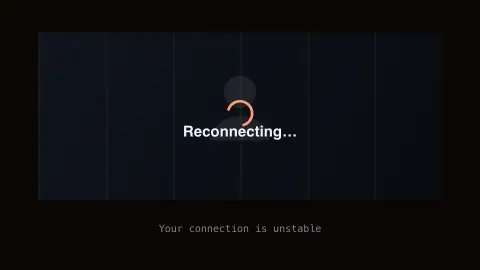
The Reconnecting screensaver shows a convincing fake video-call "reconnecting" screen with a frozen frame and a spinning connection indicator. It is free, runs in your browser, and ESC exits.
Live preview
Press ESC to leave fullscreen. Settings are saved in your browser only.
How the Reconnecting… screensaver works
The saver renders a familiar video-call interface frozen mid-frame, with a "Reconnecting…" banner and spinner overlaid.
The frozen look and spinner cycle convincingly, exactly like a real dropped call.
No camera, microphone, or real call is ever involved — it is a purely visual screensaver.
Press any key or move the mouse to exit, like any other screensaver.
Why real video calls freeze
Anyone who has used video calling knows the sight: a face locked mid-expression, a spinner, and a faint sense of panic. The freeze has real technical roots. Calls typically send media as many small packets over UDP, which has no built-in retransmission or congestion control, so the software has to cope with packets that arrive late, out of order or not at all.
Video compression makes this fragile. A keyframe, or I-frame, is a complete picture that can be decoded on its own, while P-frames store only the changes from the previous picture. If a packet of a reference frame is lost, the frames that depend on it are affected too. The receiver can request a fresh keyframe when decoding has gone wrong. Browsers today tend to freeze the picture until a keyframe arrives, because carrying on decoding used to leave smeared artifacts.
A jitter buffer, a small queue on the receiver, holds incoming media briefly, reorders it and releases it at a steady pace. A larger buffer is smoother but adds delay. Congestion control also adjusts how much data the sender transmits when loss appears. This screensaver only imitates the look of a stalled call; it has no connection to your network, camera or any call software.
A worked example
Left running during a break, it reads exactly like your call actually dropped — a favorite lighthearted desk prank for remote workers.
Settings & tips
- Accent recolours the reconnecting banner.
- No camera or microphone is ever accessed.
- A classic, harmless remote-work prank.
Frequently asked questions
- Does this use my camera or mic?
- No — it never accesses your camera or microphone. It is a static visual effect.
- Is this a real dropped call?
- No — it is a purely cosmetic screensaver effect.
- Is a key needed?
- No — it runs entirely locally.
- Is it free?
- Yes — free, no download, in your browser.
- What is a keyframe?
- A complete video frame that can be decoded without any earlier frame. Other frames store only changes from the previous picture, so a keyframe is the recovery point after errors.
- Why does the picture freeze instead of showing garbled video?
- If packets of a reference frame are lost, later frames cannot be rebuilt correctly. Current browsers hold the last picture until a new keyframe arrives, because decoding on used to leave smeared artifacts.
- What does a jitter buffer do?
- It is a small queue on the receiving side that holds media briefly, puts packets back in order and releases them at a steady pace. A bigger buffer gives smoother playback but more delay.