Traffic Pulse Screensaver
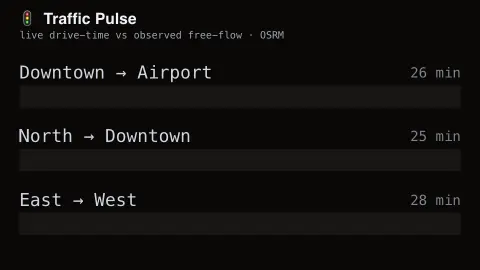
The Traffic Pulse screensaver shows a live congestion index for a handful of major routes in a chosen city, computed from real current drive-time estimates against an off-peak baseline — key-less, via the OSRM open routing engine. It's free, runs in your browser, and ESC exits.
Live preview
Press ESC to leave fullscreen. Settings are saved in your browser only.
How the Traffic Pulse screensaver works
The saver requests real current drive-time estimates for fixed routes in your chosen city from the OSRM routing engine.
Each route's current time is compared to its free-flow baseline to compute a live congestion percentage.
Routes are shown as gauges that fill more as real congestion increases.
Readings refresh on a schedule to track how traffic actually changes through the day.
Measuring congestion against free flow
Traffic engineers describe congestion as a comparison between how long a trip takes now and how long it would take on an empty road. That second figure is the free-flow time. A route that normally takes twenty minutes but takes thirty is slower by half, and that ratio is a more useful signal than raw speed, because a motorway and a city street have very different normal speeds.
OSRM, the Open Source Routing Machine, is a routing engine written in C++ that runs on OpenStreetMap data. It offers services such as routing, nearest-point snapping and duration tables between sets of coordinates. Its durations come from the road network and the speed assumptions of the profile used to process the map, such as the car profile, and the project's documentation does not describe live vehicle data. The gauge should therefore be read as an indication, not as an official traffic report, and it can miss incidents such as a crash or lane closure.
Remember also that a single route cannot represent a whole city, and a quiet figure on one corridor says nothing about others. For navigating a specific journey, a dedicated navigation app with live data is the right tool.
A worked example
Set it to Toronto during rush hour and the downtown routes swing toward heavy congestion — a real comparison against the same route's free-flow time, not a fixed animation.
Settings & tips
- City switches the set of tracked routes.
- Accent recolours the congestion gauges.
- The routing engine is a public demo service — occasional slow responses are normal.
Frequently asked questions
- Is this official traffic data?
- No official live traffic index is free and key-less; this computes a genuine proxy from real routing-engine drive times.
- Is a key needed?
- No. The OSRM public routing service is free and key-less.
- Which cities are covered?
- A small built-in set of major cities with fixed representative routes.
- Is it free?
- Yes — free, no download, in your browser.
- Why compare to free flow instead of just showing speed?
- A speed of fifty kilometres an hour is fast on a city street and a crawl on a motorway. Comparing with the road's own free-flow time makes routes comparable.
- Is OSRM a traffic service?
- It is a routing engine. It calculates routes and durations from OpenStreetMap data processed with a speed profile, and its documentation does not describe live traffic.