Bike Share Live Screensaver
The Bike Share Live screensaver boards a public bike-share system's stations, showing real available bikes and docks per station, drawn key-less via the open GBFS standard and defaulting to Toronto's Bike Share network. It's free, runs in your browser, and ESC exits.
Live preview
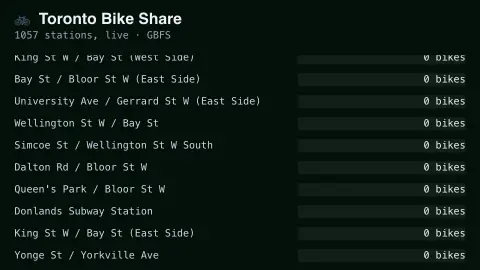
Press ESC to leave fullscreen. Settings are saved in your browser only.
How the Bike Share Live screensaver works
The saver fetches real live station status from a public bike-share system's GBFS feed, with no key required.
Each station shows its real current bike and dock counts, updating as riders take and return bikes.
Stations are sorted so the busiest or emptiest surface near the top.
The board refreshes on a schedule to track real system activity.
GBFS: the open standard behind bike-share maps
GBFS, the General Bikeshare Feed Specification, is an open data standard that lets bike-share and scooter-share operators publish their system status in a common format. It was created in 2014 by Mitch Vars, with input from operators, app developers and vendors. The North American Bikeshare Association hosted it from 2015, and in 2019 chose MobilityData, a non-profit, to govern and improve it. Because operators follow the same structure, one piece of software can read many systems.
A system publishes several files. The station information file lists public stations with their IDs, names, coordinates and capacity. A separate station status file reports the numbers that change: vehicles available, docks available, and whether a station is currently renting and accepting returns. Each feed carries a ttl value, the number of seconds before its data will next be updated, which tells clients when to refetch.
The specification says the available count covers functional vehicles that can be offered for rental, and that status data should be no more than five minutes out of date, so a station showing one bike can still be empty by the time you arrive. Free-floating vehicles that are not docked are described in a different file, the vehicle status file (called free bike status in earlier versions), which is required only for dockless systems.
A worked example
Watch a downtown station during the morning commute and its available-bikes count drops toward zero — real riders checking out real bikes, not a simulation.
Settings & tips
- City switches between supported bike-share systems.
- Accent recolours the availability bars.
- GBFS is an open standard used by hundreds of bike-share systems worldwide.
Frequently asked questions
- Is this real-time?
- Yes — GBFS station-status feeds reflect the real, current state of each dock, typically updated at least every minute.
- Is a key needed?
- No. GBFS feeds are an open, public, key-less standard.
- Why only one city by default?
- Toronto ships as the default per this site's Canadian-first convention; more systems can be added the same way.
- Is it free?
- Yes — free, no download, in your browser.
- Who maintains the GBFS standard?
- MobilityData, a non-profit organisation, has governed it since 2019. The project is open source and governed by consensus.
- Why can the counts be out of date?
- Operators publish snapshots of station status, which the specification says should be no more than five minutes old, so a bike taken moments after an update isn't reflected until the next one.
- Does the display work for dockless bikes?
- The board is built around stations. Free-floating vehicles are described in a different file of the standard and don't appear as docks.