Teletext Weather Screensaver
The Teletext Weather screensaver is a Ceefax-style page that cycles live local weather and world headlines in chunky colour blocks. It's free, runs in your browser, and ESC exits.
Live preview
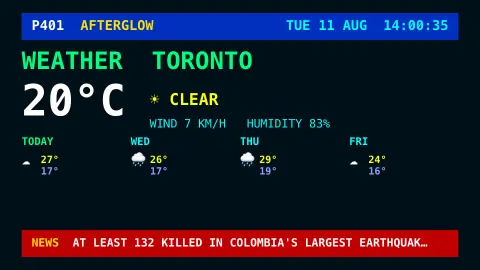
Press ESC to leave fullscreen. Settings are saved in your browser only.
How the Teletext Weather screensaver works
The saver fetches the current conditions and a short forecast for your chosen city from the key-less Open-Meteo API.
It lays them out as a 1980s teletext page — blue header bar, double-height coloured headings, blocky monospace text — the way Ceefax and Teletext looked on old TVs.
World headlines stream along a red news bar at the bottom, read from the site's news feed.
Pick any city — Toronto, Vancouver, London, Tokyo and more — and the page refreshes through the day.
Ceefax, Teletext and the 40-by-24 grid
Teletext was an information service sent alongside ordinary television pictures. The BBC’s Ceefax began as an experimental service on 23 September 1974, and the independent-television system ORACLE was developed at about the same time. The data travelled in the vertical blanking interval, the unseen lines between picture frames, so a set with a decoder could show pages of news, sport, weather and listings.
Viewers entered a three-digit page number on the remote control, and broadcasters sent the pages in a continuous loop, so waiting a few seconds for a page to come around was part of the experience. Each page was a grid of 40 columns by 24 rows of characters, with graphics built from simple block characters. From the 1976 specification onward each character could take one of eight colours, which gives the style its look.
Teletext services were also used in many countries beyond the UK, and the internationalised World System Teletext became the dominant standard across Europe. A retro display like this one borrows the look, not the technology: the data is from modern sources and the page layout is a design choice, so it should not be read as an exact copy of the old services.
A worked example
The page reads P401 AFTERGLOW across the top, a big 4°C ☁ OVERCAST for Toronto, a four-day strip beneath it, and a red NEWS bar scrolling the day's headlines — pure 1983 television.
Settings & tips
- Location chooses the city, defaulting to Toronto.
- Show headline ticker toggles the news bar.
- Background sets the teletext page colour.
Frequently asked questions
- Is the weather live?
- Yes. The conditions and forecast come live from the key-less Open-Meteo API and refresh through the day.
- What is teletext?
- Teletext (Ceefax in the UK) was a 1970s-90s service that put text and blocky graphics pages on your TV — page 401 was often the weather.
- Where do the headlines come from?
- From the site's news feed; run the pipeline's news command to keep them fresh, or they show a gentle placeholder.
- Does it need a key?
- No. Open-Meteo is free and key-less; the saver only needs an internet connection for the weather.
- Is it free?
- Yes — free, no download, in your browser.
- How did teletext reach television sets?
- It was carried in the vertical blanking interval of the analogue TV signal, the unseen lines between picture frames, and decoded in the television.
- Why is the text so blocky?
- Teletext used a fixed grid of 40 by 24 characters, with simple block graphics characters and a palette of eight colours, so images had to be built from chunky blocks.
- Which services used the format?
- The BBC’s Ceefax and the ORACLE service on independent television in the UK, plus services in many other countries, mostly built on variants of the same standard.