Every Licence With A Name Screensaver
The Every Licence With A Name screensaver shows the SPDX licence list, key-less. SPDX exists so that "MIT" means one exact text rather than whatever a README author had in mind. The two flags are what make it useful: OSI-approved means the Open Source Initiative certified it, deprecated means the identifier still resolves but should not be used in new code, and a licence can be neither. Served as a static versioned JSON file rather than an API. It's free, runs in your browser, and ESC exits.
Live preview
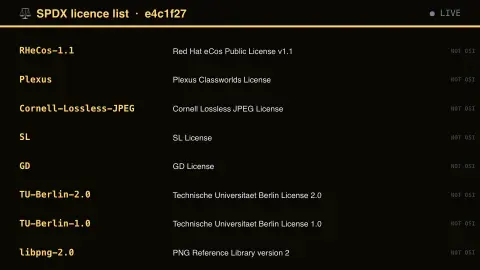
Press ESC to leave fullscreen. Settings are saved in your browser only.
How the Every Licence With A Name screensaver works
The saver reads the source described above and draws it on a canvas — no account, no tracking.
The SPDX licence list, key-less. SPDX exists so that "MIT" means one exact text rather than whatever a README author had in mind. The two flags are what make it useful: OSI-approved means the Open Source Initiative certified it, deprecated means the identifier still resolves but should not be used in new code, and a licence can be neither. Served as a static versioned JSON file rather than an API.
It refreshes on a schedule, so what you see stays current.
Colours can be changed in settings; nothing is stored beyond your own browser.
SPDX and the problem of naming licences
Open-source licences are legal texts, and projects often refer to them loosely: "BSD" can mean several different licences, and "GPL" without a version means little. The SPDX License List, run by the SPDX Workgroup as a Linux Foundation project, gives each listed licence a short identifier such as MIT or Apache-2.0, along with its full name, its text and a permanent URL.
The identifiers can be used in package metadata and compliance tooling so software can state its terms in a machine-readable way. SPDX license expressions combine them with operators such as OR, AND and WITH, for example to describe a dual-licensed project or a licence with an exception. The list is versioned, and SPDX says it endeavours never to change an identifier once published.
The two flags on the page come from different places. OSI-approved means the Open Source Initiative has approved the licence as complying with its Open Source Definition. Deprecated means the identifier should no longer be used but remains valid. A well-known case is the bare GPL and LGPL identifiers, deprecated as of version 3.0 of the list and replaced by explicit -only and -or-later forms. A licence without the OSI flag simply has not been listed as OSI-approved; the flag says nothing more about its terms.
A worked example
The SPDX licence list, key-less. SPDX exists so that "MIT" means one exact text rather than whatever a README author had in mind. The two flags are what make it useful: OSI-approved means the Open Source Initiative certified it, deprecated means the identifier still resolves but should not be used in new code, and a licence can be neither. Served as a static versioned JSON file rather than an API.
Settings & tips
- Accent and Background recolour the display.
- Every value on screen comes from the live source — nothing is simulated.
- Press ESC to leave fullscreen.
Frequently asked questions
- Is this real data?
- Yes — it comes from the source named on this page and is refreshed on a schedule.
- Is a key needed?
- No. This source is fully key-less.
- Is it free?
- Yes, and it runs entirely in your browser.
- What is the difference between GPL-2.0-only and GPL-2.0-or-later?
- SPDX describes the explicit forms as "this version only" and "any later version". The first limits you to version 2 of the licence, while the second also allows later versions.
- Does an SPDX identifier replace reading the licence?
- No. It names the licence exactly, but you still need to understand its terms and obligations, and legal questions belong with a lawyer.
- Can a deprecated identifier still be used?
- It stays valid and keeps resolving, but SPDX says it should no longer be used in new work, so choose the current identifier instead.