GitHub Security Advisories Screensaver
The GitHub Security Advisories screensaver streams real newly-published GitHub Security Advisories as they're reported. It is free, runs in your browser, and ESC exits.
Live preview
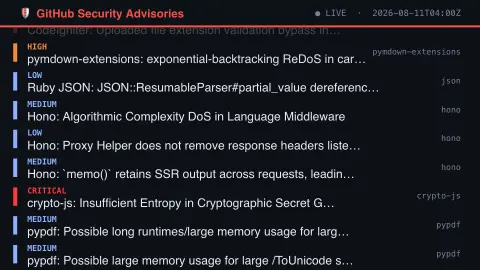
Press ESC to leave fullscreen. Settings are saved in your browser only.
How the GitHub Security Advisories screensaver works
The background pipeline polls GitHub — GitHub's own public vulnerability database — every few minutes for new records.
Each new item eases up into its slot at the bottom of the list as it arrives.
A header shows a live/connecting indicator and the last update time.
No key is required for this key-less public endpoint.
About GitHub Security Advisories
The GitHub Advisory Database collects security advisories for open-source packages. It covers ecosystems including npm, pip, Maven, NuGet, Go, RubyGems, Rust, Composer and GitHub Actions. Advisories come from reports made on GitHub and from other sources such as the National Vulnerability Database, and anyone can propose edits through a pull request that GitHub’s curation team reviews.
Advisories are either GitHub-reviewed or unreviewed. Reviewed ones have been checked for validity and carry a full description plus ecosystem and package information, and Dependabot alerts are generated for them. Unreviewed ones are published automatically from the NVD feed without that check. Every advisory has its own GHSA identifier, separate from any CVE identifier it links to.
Severity uses four CVSS-based levels: low, medium (also called moderate), high and critical. A vulnerability advisory lists the affected version range and the earliest version in which the problem was fixed, so what matters for your own project is whether you use a version inside that range. Publication time is when the advisory appeared, not necessarily when the flaw was found or fixed.
A worked example
A real recent item scrolls into view with its details, then eases upward as newer ones arrive behind it.
Settings & tips
- Each advisory shows a real severity rating and affected package.
- Accent recolours the header and highlights.
- GHSA is GitHub's own public vulnerability database.
Frequently asked questions
- Is this real data?
- Yes — it's read live from GitHub, GitHub's own public vulnerability database.
- Is a key needed?
- No. This is a fully key-less public API.
- How often does it refresh?
- The pipeline polls for new records every few minutes.
- Is it free?
- Yes — free, no download, in your browser.
- Does a listed advisory mean my software is vulnerable?
- Not necessarily. An advisory lists affected version ranges and the earliest patched version, and only projects using a version in the affected range are exposed.
- What do the severity levels mean?
- They are CVSS-based: low, medium (also called moderate), high and critical. The database supports CVSS versions 3.1 and 4.0, and the level reflects the score assigned to the vulnerability.
- What is the difference between a GHSA and a CVE identifier?
- Every advisory in the database has its own GHSA ID. Many also link to a CVE record, but the GHSA ID exists independently of any CVE.