Coordinated Disclosure Screensaver
The Coordinated Disclosure screensaver shows the oss-security list, where open-source projects announce flaws they have already agreed to disclose, key-less. It’s free, runs in your browser, and ESC exits.
Live preview
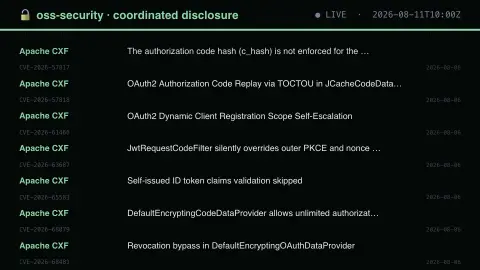
Press ESC to leave fullscreen. Settings are saved in your browser only.
How the Coordinated Disclosure screensaver works
The saver reads the source described above and draws it on a canvas — no account, no tracking.
The oss-security list, where open-source projects announce flaws they have already agreed to disclose, key-less. Formal, orderly and the exact counterpart to Full Disclosure in temperament.
It refreshes on a schedule, so what you see stays current.
Colours and any options can be changed in settings; nothing is stored beyond your own browser.
About the oss-security list
oss-security is a public mailing list hosted by Openwall, carrying vulnerability announcements and discussion for many open-source projects. Posts typically name the affected project, describe the flaw, mention fixed versions and quote a CVE identifier.
The list is the public end of coordinated disclosure. Openwall also runs a separate private list, linux-distros, where security contacts at Linux distributions coordinate fixes for issues that are not yet public. Its policy sets a maximum embargo of 14 days, prefers shorter than 7, and requires the reporter to post a detailed description to oss-security once the issue is disclosed. Issues already public, or about to be, should go to oss-security instead.
A CVE identifier is a catalogue number for one vulnerability, and the number alone says nothing about how serious it is. A thread subject may refer to a flaw that affects only a niche configuration, or to one that matters widely. The saver displays only the subject lines, so it cannot say how serious or exploitable any item is, and this is not a source of security advice.
A worked example
The oss-security list, where open-source projects announce flaws they have already agreed to disclose, key-less. Formal, orderly and the exact counterpart to Full Disclosure in temperament.
Settings & tips
- Accent and Background recolour the display.
- Every value on screen comes from the live source — nothing is simulated.
- Press ESC to leave fullscreen.
Frequently asked questions
- Is this real data?
- Yes — it comes from the source named on this page and is refreshed on a schedule.
- Is a key needed?
- No. This source is fully key-less.
- Is it free?
- Yes, and it runs entirely in your browser.
- What is a CVE?
- A CVE is a standardised identifier for a publicly disclosed vulnerability, so different tools and vendors can refer to the same flaw unambiguously.
- What is the linux-distros list?
- A private list for security contacts at Linux distributions to coordinate fixes for not-yet-public issues. Its maximum acceptable embargo is 14 days, and the details are then posted publicly to oss-security.
- Does a post mean software is being attacked?
- Not necessarily. Many posts announce a flaw that has been or is being fixed, and a post alone does not say whether it is exploited.