Pomodoro Focus Timer Screensaver
The Pomodoro Focus Timer screensaver runs a real live Pomodoro-technique timer, cycling between 25-minute work sessions and short breaks. It is free, runs in your browser, and ESC exits.
Live preview
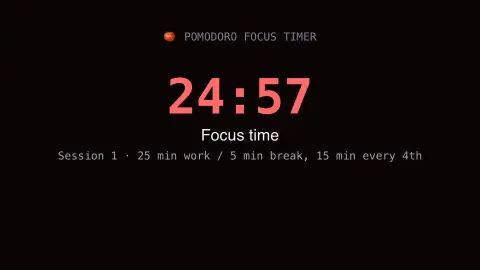
Press ESC to leave fullscreen. Settings are saved in your browser only.
How the Pomodoro Focus Timer screensaver works
The saver runs a real, live countdown following the classic Pomodoro technique: 25 minutes of focused work, then a 5-minute break.
After four work sessions, a longer break is automatically inserted, exactly like the real technique's standard cycle.
The current phase — work or break — is clearly labeled with its own live countdown.
The cycle repeats indefinitely as long as the screensaver is running.
Francesco Cirillo and the tomato-shaped timer
The Pomodoro Technique was developed by Francesco Cirillo in the late 1980s, when he was a university student. It is named after the tomato-shaped kitchen timer he used; pomodoro is the Italian word for tomato. The core idea is to split work into roughly 25-minute intervals separated by short breaks.
The method has a few steps beyond the timer. You decide on a task, set the timer, and work on it until it rings. Then you take a short break, commonly 5 to 10 minutes, and after four pomodori a longer one, commonly 20 to 30 minutes. A pomodoro is treated as indivisible: if an interruption arises, you either postpone it, using the sequence of informing, negotiating, scheduling and calling back, or abandon that pomodoro.
The 25 minutes is a convention of the technique rather than a proven scientific optimum, and some people find other lengths suit them better. A screensaver timer can mark the rhythm, but the benefit comes from the discipline of focusing on one thing, not from the clock.
A worked example
A 25-minute work session counts down to zero, automatically switching to a real 5-minute break countdown before returning to the next work session.
Settings & tips
- Accent recolours the active phase.
- Follows the real, classic 25/5-minute Pomodoro cycle.
- A longer break is automatically inserted every four sessions.
Frequently asked questions
- Is this the real Pomodoro technique?
- Yes — the real classic 25-minute work / 5-minute break cycle, with a longer break every four sessions.
- Is a key needed?
- No — it is a pure local timer.
- Is it free?
- Yes — free, no download, in your browser.
- Does it notify me with sound?
- No — it is a purely visual timer; pair it with your own reminder if needed.
- Why is it called Pomodoro?
- Pomodoro is the Italian word for tomato, after the tomato-shaped kitchen timer Cirillo used when he developed the method.
- Is 25 minutes backed by science?
- It is the technique's conventional interval, not a proven optimum, and many people adjust it to suit their tasks.
- What happens if I am interrupted?
- The technique treats a pomodoro as indivisible. You can postpone the interruption by informing the person, negotiating, scheduling and calling back, or abandon that pomodoro and start again.