Meeting Timer Board Screensaver
The Meeting Timer Board screensaver shows a real live countup timer, so everyone in the room can see exactly how long the meeting has run. It is free, runs in your browser, and ESC exits.
Live preview
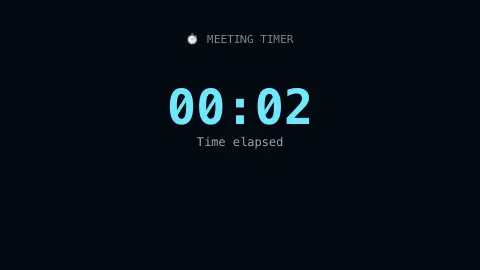
Press ESC to leave fullscreen. Settings are saved in your browser only.
How the Meeting Timer Board screensaver works
The saver starts a real live stopwatch the moment it begins running.
The elapsed hours, minutes and seconds display clearly and update every second.
A soft color shift after a configurable duration gives a gentle visual cue that the meeting is running long.
The count runs continuously for as long as the screensaver stays active.
Why count the length of a meeting
A count-up timer is the opposite of a countdown. A countdown asks how much time is left and tends to produce a looming deadline, while a count-up simply shows how much has been used. For meetings the second often suits facilitators: it makes elapsed time visible to everyone without declaring the meeting over at a set mark. It also echoes Parkinson’s law, the adage coined by the naval historian C. Northcote Parkinson in a 1955 essay in The Economist, that work expands to fill the time available for its completion.
A visible clock gives the person chairing a neutral prompt to move on that is not personal. The soft color change offered by the saver after a chosen duration works the same way, as a quiet signal rather than an alarm.
Browsers are not precision instruments. Timers in background tabs can be throttled, and a computer that goes to sleep stops the page entirely. A common approach for web timers is to compare the current clock time against a stored start time instead of counting ticks, which keeps long sessions accurate.
A worked example
As the meeting passes the one-hour mark, the display shifts to a warmer color, a gentle visual nudge that time is adding up.
Settings & tips
- Accent sets the normal-duration color.
- A gentle color shift signals when the meeting is running long.
- Great for keeping shared meeting rooms time-aware.
Frequently asked questions
- Does it need a real meeting-room display?
- No — it runs on any screen, including a spare laptop or monitor.
- Is a key needed?
- No — it is a pure local timer.
- Is it free?
- Yes — free, no download, in your browser.
- Can I set the color-shift duration?
- Yes — it is configurable in the saver's settings.
- Why use a count-up timer instead of a countdown?
- A count-up shows time used without imposing a deadline, which suits open-ended discussions. A countdown is better when there is a fixed slot to hit.
- What is Parkinson's law?
- It is the adage that work expands to fill the time available for its completion, coined by C. Northcote Parkinson in a 1955 essay in The Economist.
- Can a browser timer drift?
- It can if it just counts intervals, because a busy or hidden page may delay them. Comparing against the system clock avoids most drift.