Kubernetes CVEs Screensaver
The Kubernetes CVEs screensaver shows the official Kubernetes CVE feed, key-less. It’s free, runs in your browser, and ESC exits.
Live preview
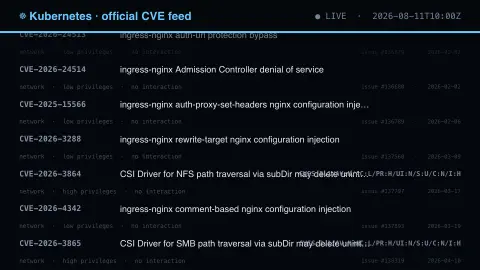
Press ESC to leave fullscreen. Settings are saved in your browser only.
How the Kubernetes CVEs screensaver works
The saver reads the source described above and draws it on a canvas — no account, no tracking.
The official Kubernetes CVE feed, key-less. The project curates this list itself rather than deriving it from a scanner, so it is short and every entry matters. Almost everything on it needs privileges you already hold, because the API server is rarely exposed.
It refreshes on a schedule, so what you see stays current.
Colours and any options can be changed in settings; nothing is stored beyond your own browser.
How to read a CVSS vector in the Kubernetes feed
The Kubernetes official CVE feed is a community-maintained list of CVEs announced by the Kubernetes Security Response Committee, rather than a record built from external scanners. It is published as a web page, a JSON feed and an RSS feed, and it auto-refreshes. Each entry has a CVE identifier, a short summary and a link to the tracking issue in the kubernetes/kubernetes repository on GitHub. Entries cover core Kubernetes and some related projects.
The severity score is not a separate field in the feed. In the JSON feed it appears at the start of an entry’s text as a CVSS vector, a compact string such as AV:N/AC:H/PR:H/UI:N/S:C/C:H/I:N/A:N, sometimes followed by a rating label. Read left to right, that sample says the attack vector is the network, the attack complexity is high, the attacker needs high privileges, no user interaction is required, the scope changes, and confidentiality is highly affected while integrity and availability are untouched. The saver decodes it so you do not have to.
Context matters when reading these. A high score on paper does not always mean broad exposure, since some flaws need privileges an attacker would already hold or affect only particular platforms, such as Windows nodes. Entries also list the affected versions, so check those against what you run.
A worked example
The official Kubernetes CVE feed, key-less. The project curates this list itself rather than deriving it from a scanner, so it is short and every entry matters. Almost everything on it needs privileges you already hold, because the API server is rarely exposed.
Settings & tips
- Accent and Background recolour the display.
- Every value on screen comes from the live source — nothing is simulated.
- Press ESC to leave fullscreen.
Frequently asked questions
- Is this real data?
- Yes — it comes from the source named on this page and is refreshed on a schedule.
- Is a key needed?
- No. This source is fully key-less.
- Is it free?
- Yes, and it runs entirely in your browser.
- What does a CVSS vector string encode?
- The metrics behind the score, such as how the attack is delivered, how hard it is, what privileges are needed and how confidentiality, integrity and availability are affected.
- Where does the Kubernetes CVE feed come from?
- It is the community-maintained official CVE feed on kubernetes.io, listing CVEs announced by the Kubernetes Security Response Committee. It is offered as JSON and RSS as well as a web page.