Global Debt Clock Screensaver
The Global Debt Clock screensaver shows a live-ticking U.S. national debt figure, extrapolated in real time from the Treasury's own published debt data. It is free, runs in your browser, and ESC exits.
Live preview
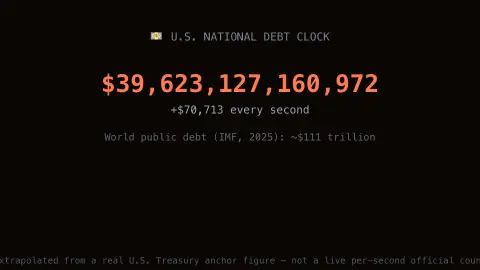
Press ESC to leave fullscreen. Settings are saved in your browser only.
How the Global Debt Clock screensaver works
The saver starts from a real published U.S. national debt figure and date, from the U.S. Treasury's own fiscal data.
It extrapolates the debt forward live, second by second, using the real recently published annual growth rate.
A world total context figure, from the IMF's own published global debt research, is shown alongside it.
The pipeline refreshes the anchor figures periodically as new real Treasury data is published.
Reading the national debt figure
Treasury's Fiscal Data service publishes the "Debt to the Penny" dataset, which reports total public debt outstanding. It is updated at the end of each business day with data from the previous business day. The total is the sum of two components: debt held by the public and intragovernmental holdings.
Debt held by the public is federal debt held outside the U.S. government, by holders such as individuals, corporations, state and local governments, the Federal Reserve Banks and foreign governments. Intragovernmental holdings are debt held within the government, mostly securities held by trust, revolving and special funds. The headline total combines both.
A clock that ticks is an extrapolation. The published number is a daily figure, so a smooth counter only estimates an average rate and will drift from the real total between updates, needing to be re-anchored. Do not read it as an exact reading of today's balance. Debt is also a stock, the accumulated result of past borrowing, and says nothing by itself about affordability. The world figure shown here is separate research and is background context, not Treasury data.
A worked example
Between real Treasury data refreshes, the ticking figure climbs steadily based on the real published daily growth rate, then re-anchors to the next real reported total.
Settings & tips
- Accent recolours the ticking digits.
- The base figure and growth rate are both real, published Treasury data.
- The live tick is a smooth extrapolation between real periodic updates.
Frequently asked questions
- Is this a real number?
- Yes — it is anchored to the U.S. Treasury's own real published debt figure and growth rate.
- Is a key needed?
- No — the anchor figures are a curated real periodic snapshot.
- Is the ticking exact to the penny?
- No — the exact real total updates periodically; the live tick is a smooth extrapolation between updates.
- Is it free?
- Yes — free, no download, in your browser.
- What is the difference between debt and deficit?
- The deficit is the shortfall in a single year. Debt is the accumulated total of borrowing over many years.
- Why can the clock differ from the official total?
- Treasury publishes the total once per business day, while the clock smooths growth into a steady rate. Between published figures it is an estimate.
- What is intragovernmental debt?
- It is debt held within the government, such as securities held by trust and other government funds. It is counted in the total public debt outstanding alongside debt held by the public.