Edit Map Screensaver
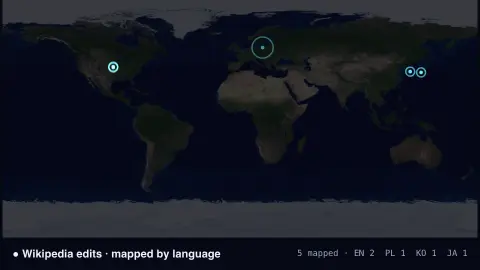
The Edit Map screensaver pings every edit streaming across the Wikipedias on a world map at the home of its language — a real-time pulse of the encyclopedia being written, from Wikimedia's stream. It's free, runs in your browser, and ESC exits.
Live preview
Press ESC to leave fullscreen. Settings are saved in your browser only.
How the Edit Map screensaver works
The saver connects to Wikimedia's live EventStreams feed, the real-time firehose of every edit across the Wikipedias.
Each edit pings on a world map at the home region of its language — German edits over central Europe, Japanese over Japan, and so on.
Bigger edits ping larger, brand-new pages glow a different colour, and a running tally counts the busiest languages.
It streams continuously and needs no pipeline — the connection is read straight from your browser.
Wikimedia EventStreams and the language-to-place map
Wikimedia EventStreams is a public web service run by the Wikimedia Foundation that streams structured event data over HTTP using the Server-Sent Events protocol, in which the server keeps one connection open and pushes new items to the client. It is backed by Apache Kafka and replaced an older service called RCStream.
The recentchange stream carries MediaWiki recent-changes events from Wikimedia wikis, with fields such as the wiki, the page title and the user name. The stream does not tell you where an editor physically is, which is why a map of edits has to be stylised: placing an edit at the home region of its language is a convention, and it says nothing about where the person was actually sitting.
Connections are cut after about fifteen minutes, so clients are expected to reconnect, and each message carries an identifier that lets a client resume where it left off. A language’s apparent busyness reflects how much editing activity its wiki produces, which depends on its editors and on any automated tools, not on the size of its speaker population.
A worked example
Pings ripple across the map second by second — a cluster over Europe for DE and FR, a burst over JA in Japan, scattered EN pings across North America — the live tally naming the busiest languages.
Settings & tips
- Wikipedia only filters out sister projects like Wiktionary.
- Background sets the map backdrop.
- Pings are placed by the edit's language, not the editor's exact location.
Frequently asked questions
- Is it really live?
- Yes. It's Wikimedia's EventStreams feed, so each ping is a real edit happening on a Wikipedia right now.
- How are edits placed on the map?
- By the language of the wiki — each language pings at its home region, since the stream doesn't give an editor's exact location.
- How is this different from Wikipedia Live Edits?
- That one is a scrolling text list; Edit Map plots the same stream geographically as pings on a world map.
- Does it need a key or pipeline?
- No. The stream is key-less and CORS-enabled, so the saver reads it directly in your browser.
- Is it free?
- Yes — free, no download, in your browser.
- Does the map show where editors are?
- No. The stream identifies the wiki an edit was made on, not the editor’s location. Dots are placed by the language of the wiki, so a Spanish edit could come from anywhere Spanish is spoken.
- Why are some languages so busy?
- Activity on a wiki depends on how many people edit it and how much automated editing it has, so a busy region on the map does not mean a large speaking population.
- What is EventStreams?
- A service run by the Wikimedia Foundation that pushes change events to clients over a long-lived HTTP connection using Server-Sent Events.