Drought Monitor Screensaver
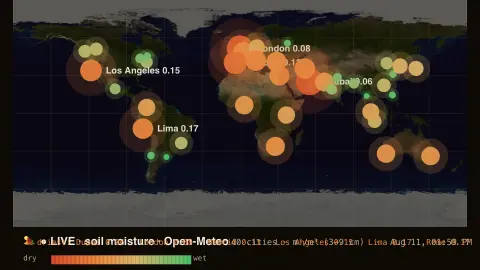
The Drought Monitor screensaver is a live world map of soil moisture, shading from lush green to parched brown across major cities by how wet or dry the ground is, from the key-less Open-Meteo soil data. It's free, runs in your browser, and ESC exits.
Live preview
Press ESC to leave fullscreen. Settings are saved in your browser only.
How the Drought Monitor screensaver works
The saver reads near-surface soil moisture for a built-in list of major world cities (including Toronto, Vancouver, Montréal and Calgary) from Open-Meteo's soil data.
Each city is plotted on a world map shaded from parched brown and orange where the ground is bone-dry to lush green where it's wet.
The driest spots grow larger and redder, so emerging drought stands out at a glance.
It refreshes every few minutes as rain and heat change the ground.
Soil moisture as a drought indicator
Soil moisture is the amount of water held in the soil, and Open-Meteo reports it as a volumetric mixing ratio in cubic metres of water per cubic metre of soil (m³/m³). It is a central quantity in drought science, because plants draw their water from the soil, not directly from rainfall, and farmers can feel the shortfall in the soil before rivers and reservoirs show it.
Open-Meteo provides hourly soil moisture for several depth layers, from 0–1 cm down to 27–81 cm. Satellites and ground sensors can measure soil moisture too, but a weather-model service gives continuous coverage everywhere. Near-surface layers react quickly to rain and dry out quickly in heat, so a single reading can swing within days.
A dry surface reading is not a drought declaration. Official drought definitions combine many indicators over weeks or months, including precipitation, streamflow, groundwater and vegetation health. Soil types matter too: sandy soils hold less water than clays, so the same reading can mean different things in different places. Treat colours as a snapshot of the upper soil, not a long-term assessment.
A worked example
During a dry summer you'll watch the U.S. Southwest and parts of the Mediterranean glow parched brown while rain-soaked regions stay deep green — the driest cities labelled, a quiet picture of where the land is thirsty.
Settings & tips
- Refresh sets how often the readings update.
- Background sets the map backdrop.
- The legend runs from dry (brown) to wet (green).
Frequently asked questions
- Is the soil data live?
- Yes. The near-surface soil moisture for every city comes live from Open-Meteo and refreshes every few minutes.
- Is this an official drought monitor?
- No. It's a soil-moisture snapshot for ambiance, not an official drought assessment, though it tracks the same underlying dryness.
- Does it need a key?
- No. Open-Meteo is free and key-less; the saver only needs an internet connection.
- Which cities are shown?
- A built-in spread of major world cities across every continent, including several Canadian ones.
- Is it free?
- Yes — free, no download, in your browser.
- Why can soil be dry after only a few warm days?
- The top layer loses water quickly through evaporation and plant use, so it responds fast, whereas deeper soil and groundwater change over much longer periods.
- Does dry soil mean there is a drought?
- Not by itself. Drought assessments look at conditions over weeks to months and use several measures, not one surface reading.
- What unit is soil moisture measured in?
- Open-Meteo gives it in cubic metres of water per cubic metre of soil (m³/m³), a fraction of the soil’s volume.