Doom Fire Screensaver
Doom Fire is a free, in-browser screensaver that runs the well-known pixel-fire algorithm: heat rises from the bottom row, cools and drifts sideways at random, and a palette turns it into flame. Nothing is downloaded, and ESC exits.
Live preview
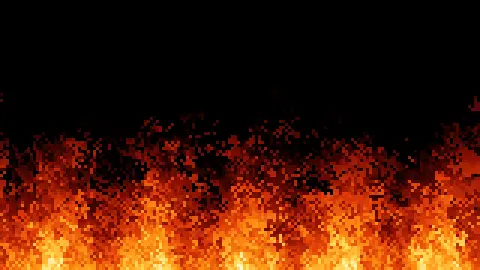
Press ESC to leave fullscreen. Settings are saved in your browser only.
How the Doom Fire screensaver works
The screen is a small grid of heat values from 0 to 255. The bottom row is a fuel row that is always hot; slow travelling waves vary its strength along the row, which gives tongues of flame of different heights, and it never drops low enough for the fire to die out.
About thirty times a second, each cell sends its heat to the cell above it, shifted one cell left, none, or one right at random, plus a wind bias, and reduced by a small random cooling amount. Cooling is set from Intensity so that full heat fades to nothing at the chosen share of the screen height.
Heat is turned into colour through a 256-entry table that runs from black through deep red, orange and yellow to near white, like a heated metal. The other palettes use the same idea in blue, green and a dull ember range. The coolest values fade into the background colour.
The grid is drawn scaled up with smoothing off, so each cell is a crisp square; Pixel size sets how large. A slow gust of wind is always applied on top of the Wind setting, so the flames lean back and forth even at zero.
The pixel fire algorithm
Fabien Sanglard's article on how the Doom fire was done describes the effect as it appears in Final Doom on the PlayStation: a framebuffer of heat values from 0 to 36, mapped through a palette from white through yellow, orange and red to black, with the bottom line acting as the source. Each pixel passes its heat to the pixel above and reduces it, a random decay makes the flames look natural, and a random sideways shift of the destination spreads them; he notes that changing the spread direction can simulate wind.
Sanglard writes that he learned of the effect after Samuel Villarreal reverse-engineered the Nintendo 64 version, and he describes it as a classic demoscene effect. The article does not give a release year for the port, so this page does not either.
This saver uses 256 heat levels instead of 37, a fuel row whose strength varies smoothly along its length, and dithered cooling, so it looks smoother than the 37-level original. Those changes, and the wind gusts, are this saver's own.
Source: fabiensanglard.net/doom_fire_psx, fetched while writing this page.
A worked example
At 1920 by 1080 with Pixel size 5 the grid is 384 by 216 cells, and at the default Intensity 6 the flames are set to fade out at about 70 percent of the screen height. At Intensity 10 that rises to about 95 percent; at Intensity 1 it falls to about a third.
Settings & tips
- Palette changes only the colours, not the motion.
- Intensity sets how tall the flames grow.
- Wind leans the fire left (negative) or right (positive); at the extremes the flames streak sideways.
- Pixel size sets the size of each fire cell; small sizes look finer and use more processing.
- Press ESC to leave fullscreen.
Frequently asked questions
- Where does this effect come from?
- Fabien Sanglard's write-up of the effect traces it to the PlayStation port of Final Doom, where it is used for animated fire, and describes the algorithm as a classic demoscene-style effect. This saver follows the same idea but is its own implementation.
- Does the fire ever die out?
- No. The bottom row is held hot all the time and cooling is fixed, so the fire reaches a steady, flickering state and stays there.
- How is this different from the Fireplace saver?
- Fireplace is a cosy hearth with embers. Doom Fire fills the screen with raw pixel flames, adds a wind control, and offers four palettes and a pixel-size setting.
- Is it free?
- Yes. It runs free in your browser with no download, account or key.
- Is it physically accurate?
- No. It is a simple rule that looks like fire, not a simulation of combustion or heat flow.
- Will it use a lot of processing power?
- At the default size the grid is around 80,000 cells updated about 30 times a second, which is light. Pixel size 2 on a large screen multiplies that several times.
- Why does it step at 30 frames a second?
- The original-style effect looks right at that rate, and it halves the work compared with stepping on every screen refresh.