Matrix Rain Screensaver
Matrix Rain is a free, in-browser recreation of the cascading green code from The Matrix — columns of glowing glyphs falling endlessly down a black screen. You can swap the alphabet between katakana, binary, Latin and symbols, and set the speed, density and color. It runs full-screen with no download, and ESC exits.
Live preview
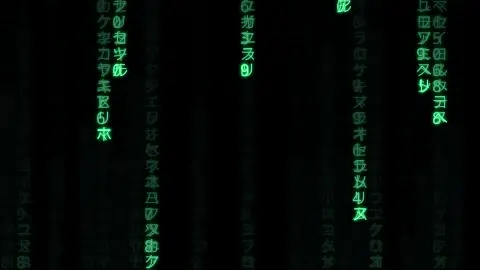
Press ESC to leave fullscreen. Settings are saved in your browser only.
How the Matrix Rain screensaver works
The screen is divided into vertical columns, each as wide as one glyph. Every active column has a single 'drop' — the row where its glowing head currently sits. Each frame, the head is repainted in a brightened version of your chosen color so the leading glyph always looks lit, while the characters above it form the dimming tail.
The trailing fade is done with a clever trick: instead of erasing old glyphs, each frame paints the whole screen with a barely-opaque rectangle of the background color. That slightly darkens everything already drawn, so older glyphs gradually dissolve into the background and leave the classic comet-tail of green characters behind every head.
The drops advance on a timed step rather than every frame, so the Fall speed control sets how often columns move down by one row. When a column's head falls past the bottom of the screen, there's a small random chance each step that it resets to the top, which is why the columns fall out of sync and never form neat rows. The Density control decides what fraction of columns are active at all — the rest stay dark.
The Alphabet selector swaps the character pool the glyphs are drawn from: half-width katakana for the authentic film look, Binary 0/1 for a pure data feel, Latin letters, or punctuation symbols. With Glow on, each glyph gets a soft shadow blur in your color, and the trail fade is tuned slightly longer for that luminous bloom.
The Matrix code and Japanese halfwidth katakana
The falling green glyphs became an icon of cinema after the 1999 film The Matrix. Its production designer, Simon Whiteley, designed a custom typeface for the code, built from reversed (mirrored) half-width kana together with Western Latin letters and numerals. In a 2017 interview he joked that the code was made of Japanese sushi recipes; the story has been disputed, so treat it as film folklore rather than a literal description.
Half-width kana are katakana drawn at half their normal width so they fit the narrow cells of monospaced text. They date from the 1969 JIS X 0201 standard, which let early 8-bit computers handle Japanese phonetically, and Unicode keeps them in its Halfwidth and Fullwidth Forms block. That fixed-width heritage is why they suit a grid of falling columns.
The look also recalls old monochrome phosphor monitors, where bright characters left a fading glow. The glyphs here are decorative and carry no message.
A worked example
The defaults — Fall speed 5, Density 70%, Glyph size 16px, Katakana alphabet, Glow on and the signature green #00ff66 — give you the familiar Matrix wall: roughly seven in ten columns raining katakana with glowing heads and long fading tails. Switch the Alphabet to Binary 0/1 and drop Density to 40% for a sparser, data-stream look, or raise Glyph size to 28px for big, chunky code.
Settings & tips
- Switch the Alphabet to Katakana for the most film-accurate look, or Binary 0/1 for a cleaner data-stream vibe.
- Turn Glow on for the luminous bloom and slightly longer trails; turn it off for sharper, higher-contrast glyphs.
- Lower Density if the screen feels too busy — it thins out how many columns rain at once.
Frequently asked questions
- Is this Matrix screensaver free?
- Yes. The Matrix Rain screensaver runs free in your browser with no download or account. Open it, let it fill the screen, and press ESC to exit.
- Can I change the falling characters?
- Yes. The Alphabet selector lets you choose katakana, binary zeros and ones, Latin letters, or symbols for the falling glyphs.
- What characters are in the real Matrix code?
- The film's code is mostly mirrored half-width Japanese katakana mixed with numerals. This screensaver's default katakana alphabet recreates that look.
- How do I make the rain fall faster?
- Raise the Fall speed slider. It controls how often the glyph columns step down, so higher values make the code cascade more quickly.
- Why are the columns uneven instead of in neat rows?
- Each column resets to the top at a random moment after its head passes the bottom, so the columns fall out of sync. That staggering is what creates the cascading rain effect.
- Does the code mean anything?
- No. The glyphs are decorative. In the film the characters were reversed and mixed with numerals and Latin letters, so the rain was not designed to be read as text, and this saver adds no hidden message.
- Why is the colour green?
- The green glow resembles the monochrome phosphor monitors of older computers, which is the look the digital rain evokes. You can change the colour in the settings.