Clock Screensaver
The Clock screensaver fills your idle screen with a large, glowing time display you can read from across the room. It reads your own device's clock, so the time is always accurate to the second. It runs free in any modern browser with no download, and you press ESC to exit.
Live preview
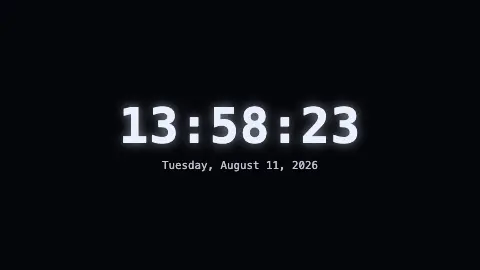
Press ESC to leave fullscreen. Settings are saved in your browser only.
How the Clock screensaver works
On every tick the saver calls new Date() and reads the hours, minutes and seconds straight from your device, so it stays as accurate as your computer's own clock. It refreshes four times a second, which keeps the seconds smooth without burning battery.
In digital mode the time is drawn in a tabular-numeric monospace font at a huge size, with an optional soft glow behind the figures. A 12-hour format adds an AM or PM suffix and drops the leading zero on the hour; 24-hour keeps the padded two-digit hour.
In analog mode the saver draws a clock face on a canvas with sixty tick marks, then sweeps hour, minute and second hands. The second hand moves in fractions of a second using the milliseconds value, so it glides rather than jumps.
When Show date is on, the full weekday, month and day appear underneath the digital readout, or a short month-and-day label beneath the analog face.
Why time is read in sixties
Dividing the hour and the minute into sixty parts traces back to the sexagesimal (base-sixty) number system developed in ancient Mesopotamia, which Babylonian astronomers used for their calculations. Sixty divides evenly by many small numbers, which makes fractions easy, and the habit survives in angles and geographic coordinates as well as time. The twenty-four-hour day is a separate tradition: Hipparchus is credited with proposing equal hours, twenty-four of them in a day, around the second century BC.
A computer clock is a count kept by hardware that is not perfectly exact, so devices usually correct themselves against time servers using the Network Time Protocol (NTP), which is widely used to synchronise computer clocks over the internet. Modern NTP can reach accuracy in the tens of microseconds on fast local networks, but a machine that cannot reach a server relies on its own hardware and can slowly drift. Time zones and daylight saving are applied on top of that underlying count.
A bright, static clock can be hard on some screens. On OLED panels, shapes that stay in one place for long periods can leave faint permanent marks, a problem known as burn-in, so it is worth thinking about your display type before leaving a clock up for days.
A worked example
Settings & tips
- Set Face to Analog for a traditional dial, or leave it Digital for the clearest read across a room.
- Switch Hour format to 12-hour if you prefer an AM/PM readout instead of 24-hour military time.
- Turn off Show seconds for a calmer face, and use the Color control to match the glow to your room's lighting.
Frequently asked questions
- Is the clock screensaver accurate?
- Yes. It reads the time directly from your device's own clock every quarter second, so it is exactly as accurate as your computer or phone. It never needs an internet connection to keep time.
- Can I show a 12-hour clock instead of 24-hour?
- Yes. Open the settings and change Hour format to 12-hour. The display then shows an AM or PM suffix and drops the leading zero from the hour.
- Does the clock screensaver work without downloading anything?
- Yes. It runs entirely in your web browser with no install, no plugin and no account. Open the page, start it full screen, and press ESC when you want to exit.
- Can I switch to an analog clock face?
- Yes. Set Face to Analog and the saver draws a round dial with hour, minute and sweeping second hands instead of digits. You can still show the date beneath it.
- Will it show today's date too?
- Yes, by default. The Show date toggle adds the full weekday, month and day under a digital clock, or a short date under the analog face. Turn it off for a time-only display.
- Why are there 60 minutes in an hour?
- The division comes from the base-sixty number system of ancient Mesopotamia, used by Babylonian astronomers. Sixty divides evenly by many numbers, and the convention was kept for time and angles.
- Can a computer clock be wrong?
- Yes. Clock hardware is not perfectly exact, so devices correct themselves against time servers using NTP. A device that is offline for a long time can drift away from the true time.
- Can leaving a clock on damage a screen?
- On OLED displays, static bright elements shown for long periods can cause burn-in. Moving the display off or using a screensaver that shifts content reduces the risk.