3D Flying Text Screensaver
The 3D Flying Text screensaver shows your own custom message, extruded and rotating, flying toward the viewer through a starfield. It is free, runs in your browser, and ESC exits.
Live preview
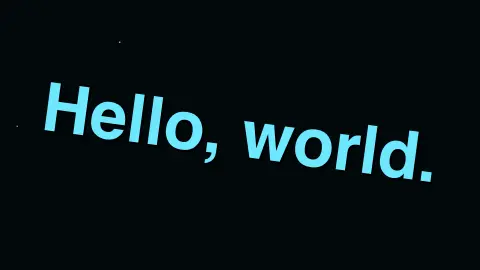
Press ESC to leave fullscreen. Settings are saved in your browser only.
How the 3D Flying Text screensaver works
The saver renders your custom text with a simulated extrusion and drop shadow for a 3D look.
The text rotates gently while flying toward the viewer through a field of scrolling stars.
Once it passes the viewer, a fresh instance of the message flies in from the distance.
The whole scene runs as pure canvas math, with no external assets.
The classic flying text effect
Flying text has been a screensaver staple since the 1990s. Windows NT 3.5, released in 1994, shipped with a set of OpenGL screensavers including 3D Text, which lets you specify a string that moves and rotates on screen. They began as a showcase for the new OpenGL support in a visible, low-risk form. The look also echoes film title sequences, where text recedes toward a vanishing point.
The depth illusion comes from a few simple ideas. Perspective makes an object appear smaller in proportion to its distance, so a message that starts far away and moves toward the viewer grows steadily larger. A fake extrusion is made by drawing the same lettering several times with a small offset, which reads as thickness, and a darker copy below suggests a shadow. Stars drifting past at different speeds supply parallax, the same cue your eyes use when roadside objects slide by faster than the horizon.
None of this requires a real 3D engine, only careful ordering of what is drawn on top of what. Longer messages look best at modest sizes, since a long string quickly outgrows the screen width as it nears the viewer.
A worked example
Your message tumbles gently as it approaches, growing larger until it passes the camera, then a new copy appears in the distance to repeat the flight.
Settings & tips
- Message sets your own custom text.
- Accent recolours the text and starfield.
- A nostalgic nod to classic 3D text screensaver packs.
Frequently asked questions
- Can I set my own message?
- Yes — the Message setting lets you enter any custom text.
- Is a key needed?
- No — it is a pure visual animation.
- Is it free?
- Yes — free, no download, in your browser.
- Is this 3D rendering or a simulated effect?
- It is a 2D canvas simulating a 3D extrusion and rotation, not a WebGL 3D scene.
- Why does long text run off the edges?
- As the message approaches, it is scaled up. A long line grows past the screen edges before it passes, so shorter phrases display more cleanly.
- What creates the sense of depth?
- Perspective scaling, offset copies that suggest thickness, a shadow and stars moving at different speeds all give your eye depth cues on a flat screen.
- Where does this style come from?
- Custom-text 3D screensavers were part of the OpenGL savers that shipped with Windows NT 3.5 in 1994, and the receding-text look also appears in film title sequences.