Weather Board Screensaver
The Weather Board screensaver shows real current conditions for a city you choose on a mechanical-style split-flap board. It's free, runs in your browser, and ESC exits.
Live preview
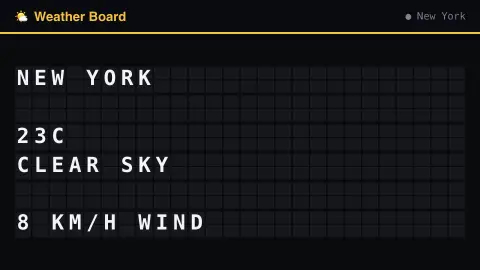
Press ESC to leave fullscreen. Settings are saved in your browser only.
How the Weather Board screensaver works
Pick a city and the saver looks up its coordinates, then reads real current conditions directly from Open-Meteo's key-less API.
Temperature, conditions and wind riffle into place across the board.
It refreshes every 10 minutes, so conditions stay current.
Board size (rows and columns) is adjustable, and a click sound can be switched on in settings.
How current conditions get to the board
The board turns a city name into a place with Open-Meteo’s geocoding search, which returns matching locations with their coordinates. It then requests the weather for those coordinates. Open-Meteo builds its data by combining output from weather models run by several national weather services, so the figures describe a model’s estimate for that point, not a reading from a particular street.
Open-Meteo’s “current” values are based on its 15-minutely model data. The conditions label comes from a numeric weather code that follows the WMO weather interpretation codes, which map numbers to descriptions such as clear sky, light drizzle, dense fog or thunderstorm. Because one code stands for the whole picture, a mixed day can be reduced to a single label. Wind speed is reported with a direction in degrees.
Because the values are model output rather than a thermometer in your garden, they can differ from what you feel outside, especially near coasts, hills and dense cities. City names are also ambiguous: the geocoding search can return many places with the same name, and a country or region can be added after a comma to narrow it, so check the place and region shown.
A worked example
Pick Tokyo and the board riffles through to show its real current temperature and conditions, sourced live from Open-Meteo the moment the board loads.
Settings & tips
- City switches which city's conditions are shown.
- Board width/height resize the grid.
- Flap click sound adds the mechanical clatter (off by default).
Frequently asked questions
- Is this real weather?
- Yes — read live from Open-Meteo's key-less public API the moment the board loads.
- Can I pick my own city?
- Yes — choose from the city list in settings.
- Is a key needed?
- No — Open-Meteo is fully key-less.
- Is it free?
- Yes — free, no download, in your browser.
- Why might the temperature differ from my thermometer?
- Open-Meteo’s values come from weather model data, not from your own sensor, so local effects such as shade, altitude and urban heat can make your reading differ.
- What are the weather codes?
- They are numeric codes that follow the WMO weather interpretation codes. Open-Meteo documents the table, from 0 for clear sky through drizzle, rain, snow and showers to 95 and above for thunderstorms.
- What if two cities share a name?
- A name can match several places, so the geocoding step may resolve to a different one than you intended. Check the region shown, and add a country or region to the name to narrow it.