SEC Full-Text Search Screensaver
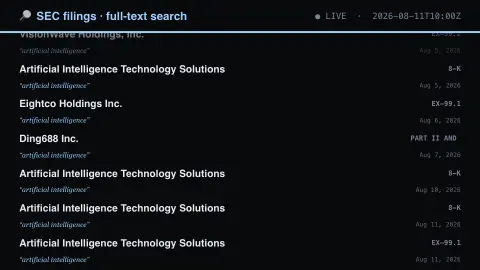
The SEC Full-Text Search screensaver shows filings whose actual text mentions a given phrase, from EDGAR's full-text index. Distinct from the site's SEC Filings saver, which lists filings by type — this searches inside the documents. It's free, runs in your browser, and ESC exits.
Live preview
Press ESC to leave fullscreen. Settings are saved in your browser only.
How the SEC Full-Text Search screensaver works
The background pipeline reads this from the SEC EDGAR full-text index and saves a snapshot the saver loads.
Filings whose actual text mentions a given phrase, from EDGAR's full-text index.
It refreshes on a schedule, so what you see stays current.
Colours can be changed in settings; nothing is stored beyond your own browser.
Searching inside filings, not just listing them
The US Securities and Exchange Commission requires public companies and many other entities to file reports on its EDGAR system, from annual reports (Form 10-K) and quarterly reports (Form 10-Q) to current reports on significant events (Form 8-K). Much of the detail lives in the text and in attached exhibits such as press releases, contracts and presentations. EDGAR’s full-text search covers the filing itself and its attachments, so a word or phrase can be found wherever it appears.
Each result carries the filer’s name, the form type and the filing date. Exhibit labels such as EX-99 show that the phrase was found in an attachment rather than the main document. EDGAR full-text search covers electronic filings submitted since 2001, so documents filed before then are not searchable this way.
A phrase match is only a mention. A filer may discuss a topic as a risk, a plan, an accomplished fact or a boilerplate warning, and the same words in two filings can mean quite different things. The list is useful for seeing how common a topic is in corporate disclosure, not as a signal about any company, and it is not investment advice.
A worked example
Filings whose actual text mentions a given phrase, from EDGAR's full-text index. Distinct from the site's SEC Filings saver, which lists filings by type — this searches inside the documents.
Settings & tips
- Accent and Background recolour the display.
- Run
automation/run.py secftsto refresh the feed. - Press ESC to leave fullscreen.
Frequently asked questions
- Is this real data?
- Yes — it comes from the SEC EDGAR full-text index and is refreshed on a schedule.
- How is this different from the SEC Filings saver?
- That one lists filings by type. This searches the text inside documents, so it shows which companies are actually discussing a subject right now.
- Is a key needed?
- No. This source is fully key-less.
- Is it free?
- Yes — free, no download, in your browser.
- What is an 8-K?
- It is a current report a US public company files to disclose significant events, such as acquisitions, leadership changes or results, between its regular quarterly and annual reports.
- What does EX-99 mean?
- It is an exhibit label, commonly used for attachments such as press releases or presentations, so the matching text sits in an attachment rather than the main document.
- How far back does EDGAR full-text search go?
- The SEC says it covers electronic filings submitted since 2001, including the filing and its attachments such as exhibits.