Live Scoreboard Screensaver
The Scoreboard screensaver is a retro stadium board showing live scores from today's games — teams, scores and game clock — across major leagues, from the key-less ESPN public API. It's free, runs in your browser, and ESC exits.
Live preview
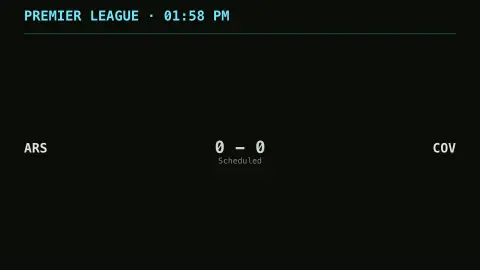
Press ESC to leave fullscreen. Settings are saved in your browser only.
How the Scoreboard screensaver works
The saver reads ESPN's public scoreboard feed for the league you pick — soccer, NBA, NFL, MLB or NHL — with no key required.
Each game becomes a row showing the two teams, the score in an LED/flip style, and the game clock or status.
Live games are lit in the accent color with a pulsing indicator; finished games are dimmed.
It refreshes every half-minute so scores update as games unfold.
Where live scores come from and how they lag
A score on a stadium board looks like an indisputable fact, but the number you see on a screen has usually passed through a chain: events are recorded at the venue, data providers collect them, and publishers repackage them for sites and apps. Each step can add a delay, so a display like this one may trail the actual play.
Game status is as important as the score. A fixture can be scheduled, in progress, at halftime, delayed, postponed or final, and the clock shown for a live game is itself a periodic update, not a continuously running timer. A result can occasionally be revised after the fact, for example when an official scoring decision changes.
The leagues covered have different seasons, so the board will often show few games or none when a league is out of season. 'Today' also depends on time zone, so an evening game in one part of the world may appear on a different date elsewhere. This display is a decorative scoreboard, not a betting or official results source.
A worked example
The board lists the day's fixtures — NYY 4 - 2 BOS · 7th lit up live, a finished game dimmed below it — the scores flipping over as runs and goals land. Switch leagues to follow basketball, football, baseball or hockey.
Settings & tips
- League chooses soccer, NBA, NFL, MLB or NHL.
- Accent lights up live games.
- Background sets the board backdrop.
Frequently asked questions
- Are the scores live?
- Yes. They come from ESPN's public scoreboard feed and refresh every half-minute, so live games update as they go.
- Why does it sometimes say no games?
- Leagues have off-seasons and rest days. If nothing is scheduled for the chosen league that day, the board says so — try another league.
- Does it need a key?
- No. It uses ESPN's public, key-less scoreboard endpoint; the saver only needs an internet connection.
- Which league is soccer?
- The soccer board follows the English Premier League. The other options cover the NBA, NFL, MLB and NHL.
- Is it free?
- Yes — free, no download, in your browser.
- Why is the clock sometimes a little off?
- The clock comes from periodic updates rather than a running timer, so it can lag the real game and may jump when a new update arrives.
- Can a final score change later?
- Occasionally. A result can be revised after review, and the data feed then reflects the correction.
- Why does the board show no games for some leagues?
- Leagues play seasons with breaks, so outside a season there may be nothing scheduled that day. Time zone differences can also move games onto a different date.