Every Way To Take It Screensaver
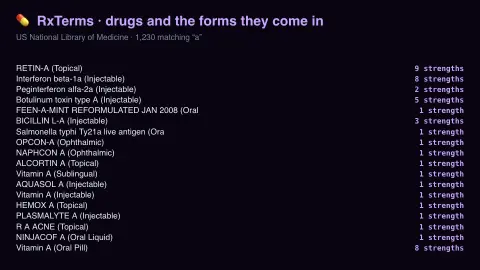
The Every Way To Take It screensaver shows entries from RxTerms, the US prescribing vocabulary, with the count of strengths and forms each drug is actually dispensed in. It runs in the browser with nothing to install; press ESC to exit.
Live preview
Press ESC to leave fullscreen. Settings are saved in your browser only.
How the Every Way To Take It screensaver works
The saver reads The National Library of Medicine's RxTerms service, key-free.
No account and no key: the request goes straight from your browser, or from this site's own refreshed copy of the feed where the source does not permit browser access.
Values are drawn on a canvas that resizes with the window, so it works on a laptop or a wall display.
If the source is unreachable the saver says so on screen rather than showing stale numbers as though they were current.
RxTerms, RxNorm and the language of prescriptions
RxTerms is a drug interface terminology produced by the Lister Hill National Center for Biomedical Communications at the US National Library of Medicine. It is derived from RxNorm, the NLM’s standard naming system for clinical drugs, which links the names used by different pharmacy and drug-information vocabularies so that software can exchange medication data. RxTerms keeps the RxNorm identifiers but splits long RxNorm names into a shorter drug name plus route, and a strength plus dose form, which avoids long pick-lists in e-prescribing and medication-history screens.
A single molecule therefore spreads into many entries. The same active ingredient can be listed as tablets, capsules, oral solutions, injections or patches, in several strengths. Route simply describes how a drug enters the body, for example by mouth, on the skin or by injection, and it forms part of the drug name in the vocabulary.
The numbers shown are counts of vocabulary entries, not of how widely a medicine is used and not a recommendation about any treatment. RxTerms is a US-oriented vocabulary and leaves out obsolete or US-unavailable drugs, so it is not a guide to what any person should take.
A worked example
Each row names a drug as a prescriber would see it, brand and generic mixed as the vocabulary holds them, with the number of available strengths and forms beside it. The same molecule appearing as tablet, injectable, topical and patch is a quiet lesson in pharmacology: each route is a different clinical decision, not a packaging choice.
Settings & tips
- Accent and Background recolour the display without changing the data.
- Add it to a Multi-view grid to watch it alongside other live savers.
- Press ESC at any time to leave fullscreen.
Frequently asked questions
- What is RxTerms?
- A drug interface terminology derived from RxNorm, designed for prescription writing. It carries the names and dose forms clinicians choose from rather than the full chemical nomenclature.
- Is this a prescribing reference?
- No. It is the naming vocabulary only, with no dosing, interaction or safety information, and nothing here should inform any decision about medication.
- Is this real data?
- Yes. It comes from The National Library of Medicine's RxTerms service, key-free. Nothing is invented or simulated, and if the source cannot be reached the saver reports that instead of drawing something plausible.
- Does it cost anything or need an account?
- No. Every screensaver here is free, runs in the browser and needs no sign-up. This one uses a public API that requires no key.
- What is RxNorm?
- RxNorm is the National Library of Medicine’s standardised naming system for clinical drugs. It links the names used by different drug vocabularies so that software can refer to the same medication consistently.
- What does route of administration mean?
- It is the way a medicine enters the body, such as oral, topical or injection. In RxTerms the route is shown alongside the drug name.
- Does a high count of forms mean a drug is popular?
- No. It only shows how many strengths and forms are listed in the vocabulary for that ingredient, not how often it is prescribed.