PyPI New Releases Feed Screensaver
The PyPI New Releases Feed screensaver streams real newly-published Python packages. It is free, runs in your browser, and ESC exits.
Live preview
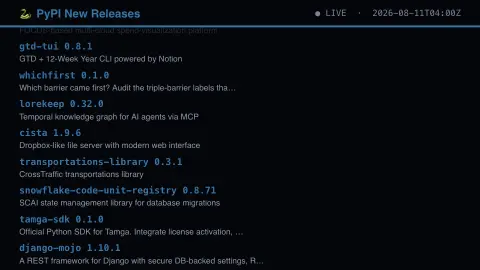
Press ESC to leave fullscreen. Settings are saved in your browser only.
How the PyPI New Releases Feed screensaver works
The saver reads the real live PyPI recent-updates RSS feed.
Each entry shows a real package name, version and description.
The pipeline refreshes on PyPI's own continuous publishing schedule.
No key is required for this key-less public endpoint.
The Python Package Index and its release stream
PyPI, the Python Package Index, is the main public repository of software for the Python language, developed and maintained by the Python Software Foundation and the Python community. When you run pip install it normally downloads from here. Anyone can create an account and publish, and each release has a name, a version number and a short description from its metadata.
Version numbers follow the scheme in PEP 440, which covers pre-releases (alpha, beta and release candidate), post-releases, development releases such as 1.0.dev1, epochs and local version labels. The recent-updates feed lists the newest uploads, so it mixes small experimental projects with new versions of well-known libraries.
Because publishing is open, a listing carries no endorsement. PyPI accepts reports of malicious projects, including typosquatting and dependency confusion, but appearing in the feed does not signal that a package has been reviewed, is safe or is maintained. The description is whatever the author wrote.
A worked example
A real package version published moments ago by a real maintainer scrolls past exactly as PyPI recorded it.
Settings & tips
- Package names and versions are real, unedited PyPI entries.
- Accent recolours the ticker text.
- PyPI is the official real Python Package Index.
Frequently asked questions
- Is this real package data?
- Yes — real newly-published releases from PyPI's own feed.
- Is a key needed?
- No. The PyPI RSS feed is fully key-less.
- Does it cover every language?
- No — this covers real Python packages on PyPI only.
- Is it free?
- Yes — free, no download, in your browser.
- Does appearing on PyPI mean the package has been reviewed?
- No. Publishing is open to anyone, and PyPI relies partly on reports of malicious projects, so a listing says nothing about safety or quality.
- What does PEP 440 define?
- A scheme for identifying versions of Python software distributions and declaring dependencies on particular versions, including pre-release, post-release and development forms.
- How do I report a malicious package?
- Use the Report project as malware link on the project's Security tab on PyPI, with the project URL and an explanation of the problem.