Personal Message Board Screensaver
The Personal Message Board screensaver displays your own typed message on a mechanical-style split-flap board. It's free, runs in your browser, and ESC exits.
Live preview
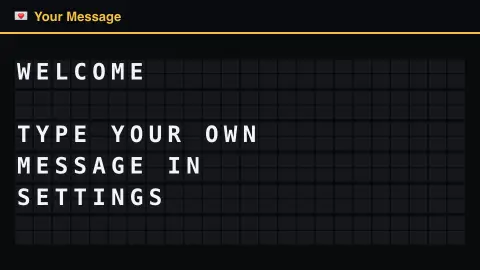
Press ESC to leave fullscreen. Settings are saved in your browser only.
How the Personal Message Board screensaver works
Type your own message into the settings panel — it's saved only in your browser, never sent anywhere.
The message riffles into place across the board, one line per row.
Leave it blank and the board shows a friendly default invitation to type something.
Board size (rows and columns) is adjustable, and a click sound can be switched on in settings.
How split-flap displays work
Split-flap displays are often called Solari boards after Solari di Udine, an Italian manufacturer whose name became a common term for them. They were commonly used for timetables at airports and railway stations from the 1960s to the 1990s. Each character position holds a set of flaps with characters printed on them, and the flaps are flipped to show the one that is wanted. The clatter as a whole board changes is the sound most people remember.
Because each position carries only a fixed set of flaps, it can show only the characters printed on it. To get from one character to another it may have to cycle through many flaps in between, which is why a split-flap display updates more slowly than LED or flip-dot boards and why letters can flicker through unrelated symbols on the way. The usable character set is limited, typically capital letters, digits and a few punctuation marks.
On this saver your message is stored locally in this browser, and the board has an adjustable but fixed number of rows and columns, so long text has to fit the grid. Keeping each line short gives the cleanest result. Physical boards have largely been replaced in transit stations, though the mechanical look remains popular in design.
A worked example
Type HAPPY BIRTHDAY into settings and watch it riffle into place across the board — your own words, on your own mechanical-style sign.
Settings & tips
- Type your message in settings — one line per row works best.
- Board width/height resize the grid to fit longer or shorter messages.
- Flap click sound adds the mechanical clatter (off by default).
Frequently asked questions
- Where is my message stored?
- Only in your own browser's local settings — it's never sent anywhere or shared.
- What if I leave it blank?
- The board shows a friendly default invitation to type something in settings.
- Is a key needed?
- No — this board needs no internet connection at all.
- Is it free?
- Yes — free, no download, in your browser.
- Why does a flap board cycle through other letters first?
- Each position holds a fixed set of flaps, and to reach the one it needs it may have to flip through many others. That is also why these displays update more slowly than LED boards.
- Why can't I use certain characters?
- A board only has flaps for a limited character set, typically capitals, numbers and a few symbols, so other characters may be dropped or replaced.
- What happens if my message is too long?
- The board has a fixed grid of rows and columns, so long lines have to fit within it. Shorter lines work best, and you can adjust the board size in settings.