Emoji Board Screensaver
The Emoji Board screensaver cycles a mechanical-style split-flap board through curated emoji scenes, entirely offline. It's free, runs in your browser, and ESC exits.
Live preview
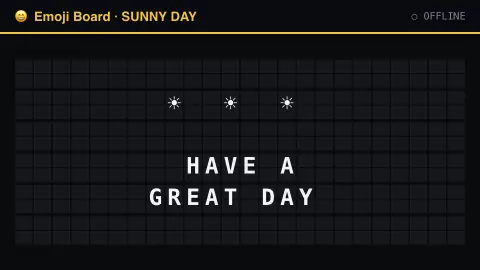
Press ESC to leave fullscreen. Settings are saved in your browser only.
How the Emoji Board screensaver works
No data connection is used at all — the saver cycles through a curated set of emoji scenes built into the page.
Each scene riffles into place across the board, tile by tile, before the next one arrives.
A new scene arrives every few seconds.
Board size (rows and columns) is adjustable, and a click sound can be switched on in settings.
From Solari boards to emoji: the split-flap tradition
Split-flap displays were the sound of stations and airports for much of the 20th century. Each character position holds a stack of flaps with characters printed on them, and the unit flips through them until the wanted one shows, with a distinct clatter each time the information changes. Such boards were often called “Solari boards” after the Italian maker Solari di Udine, whose name became shorthand for the whole format.
A real board is limited by its flaps. Each position can only show what is printed on its flaps, and a change may have to cycle through many intermediate flaps first, which is why the animation looks like a wave of riffling tiles. Split-flaps also change more slowly than LED or flip-dot signs. Showing emoji would mean someone printing hundreds of pictorial flaps.
Emoji came out of Japanese portable-device makers in the late 1980s and 1990s. The best-known early set is NTT DoCoMo’s 1999 set for i-mode, created by Shigetaka Kurita, though a 1988 Sharp device is also cited as an earlier example. Emoji entered the Unicode standard with Unicode 6.0 in October 2010, which let phones and computers around the world exchange them. This saver joins the two eras: a mechanical display format in which the characters are pictures.
A worked example
A little emoji scene — a sun, some clouds, a wave — riffles into place tile by tile, holds for a few seconds, then clatters into the next one.
Settings & tips
- Board width/height resize the grid.
- Flap click sound adds the mechanical clatter (off by default).
- No internet connection is needed; every scene is built into the page.
Frequently asked questions
- Does this need an internet connection?
- No — every emoji scene is built into the page and cycles locally.
- Can I change which emoji show?
- Not yet — the scenes are a curated built-in set.
- Is a key needed?
- No.
- Is it free?
- Yes — free, no download, in your browser.
- Why do split-flap boards make that clatter?
- Flaps flip over as the display moves to a new character, and the display makes a distinct sound whenever the information changes. Many positions changing together produce the characteristic rattle.
- Who created the first emoji?
- No single person did. Japanese device makers produced early sets in the late 1980s and 1990s. The best-known is Shigetaka Kurita’s 1999 set for NTT DoCoMo’s i-mode, and emoji were standardised in Unicode 6.0 in 2010.
- Can a real flap board display any character?
- No. Each position can only show the characters printed on its flaps, which is the main limit of the technology.