Pattern Board Screensaver
The Pattern Board screensaver cycles a mechanical-style split-flap board through generative geometric patterns, entirely offline. It's free, runs in your browser, and ESC exits.
Live preview
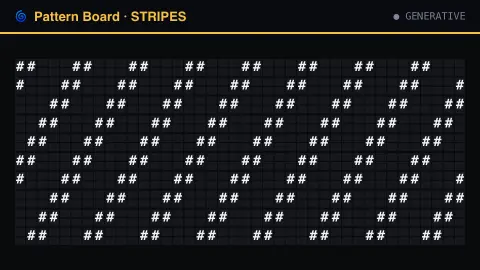
Press ESC to leave fullscreen. Settings are saved in your browser only.
How the Pattern Board screensaver works
No data connection is used at all — the saver generates its own geometric patterns entirely in your browser.
It cycles through stripes, checkerboards, rings, waves and static, each riffling into place across the board.
A new pattern arrives every few seconds, so the board keeps clattering through fresh art.
Board size (rows and columns) is adjustable, and a click sound can be switched on in settings.
Why the split-flap look endures
The split-flap display is often called a Solari board, after the Italian manufacturer Solari di Udine; in Central European countries such boards were often called Pragotron, after a Czech manufacturer. Each character position holds a set of flaps with characters or graphics printed on them, and the device turns the flaps to bring the target character into view. They were long used for departure and arrival information in stations and airports.
A real board can only show the characters printed on its flaps, so patterns on it are made by choosing which glyph or colour to show in each cell. That limits it to a coarse grid, but it also gives abstract patterns their charm: stripes, checks and rings become mosaics of tiles.
The riffling transition is what makes it look mechanical. Reaching a particular character can mean passing through many flaps, so cells that need to travel further take longer and the board settles in a ripple instead of changing in an instant. Flip-dot and LED boards update digitally and faster, and operators such as the Massachusetts Bay Transportation Authority have replaced their ageing Solari boards.
A worked example
Diagonal stripes clatter across the board, hold for a few seconds, then riffle into a ring pattern, then static — generative flap-art with no two cycles quite alike.
Settings & tips
- Board width/height resize the grid — try a wide, short board for banners.
- Flap click sound adds the mechanical clatter (off by default).
- No internet connection is needed; every pattern is generated locally.
Frequently asked questions
- Does this need an internet connection?
- No — every pattern is generated locally in your browser.
- What patterns does it show?
- Stripes, checkerboards, rings, waves and static, cycling every few seconds.
- Is a key needed?
- No.
- Is it free?
- Yes — free, no download, in your browser.
- What was a Solari board?
- A split-flap display, named after the Italian manufacturer Solari di Udine, used to show changing text such as departures and arrivals.
- Why do cells flip through other characters first?
- A split-flap cell may have to cycle through many flaps to reach the one showing the target character, so it passes through others on the way.
- Are the patterns random?
- They are generated from simple geometric rules, such as stripes or rings, so the shapes are regular, but the board moves between them in a varied order.