Mempool Congestion Map Screensaver
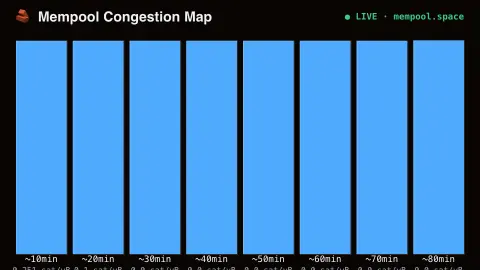
The Mempool Congestion Map screensaver visualizes Bitcoin's next projected blocks filling with real pending transactions by fee tier, drawn key-less and live from mempool.space. It's free, runs in your browser, and ESC exits.
Live preview
Press ESC to leave fullscreen. Settings are saved in your browser only.
How the Mempool Congestion Map screensaver works
The saver fetches mempool.space's real projected-block breakdown, with no key required.
Each projected block is drawn as a filling bar, its height set by real transaction count and colour by fee level.
The real fee range for each block is shown, from lowest to highest sat/vByte included.
The map refreshes on a schedule to track real mempool conditions.
How mempool.space builds its projected blocks
A Bitcoin block has limited capacity, and miners fill it with the transactions that pay best per unit of space. That unit is virtual size, measured in vbytes (a block’s weight limit is four million weight units, and one vbyte is four weight units), and the fee rate is expressed in satoshis per vbyte. A sender who offers a higher rate gets in sooner, and one who offers less waits, a competition that gets fiercer when the queue is long.
mempool.space keeps its own view of the unconfirmed transactions and runs a re-implementation of Bitcoin Core’s transaction selection algorithm every couple of seconds, filling projected blocks under the same weight and signature-operation limits as a real block. The result is a forecast of the next several blocks with their effective fee ranges. It is an estimate: a miner might use a different policy, a block may arrive sooner or later, and the mempool changes every second.
Each Bitcoin node holds its own mempool, so another site can show a slightly different picture. Projected blocks’ fee ranges can overlap, because a block with little space left may fit a small low-fee transaction ahead of larger high-fee ones. A calm mempool and a congested one produce very different bars, which is the point of the display.
A worked example
During a congested stretch you'll see many real projected blocks stacked deep with high fee ranges — genuine backlog, not a simulated rush.
Settings & tips
- Accent recolours the fill.
- This shows the real queue structure, not just a single recommended fee number.
- Fewer, emptier projected blocks mean the real network is quiet.
Frequently asked questions
- How is this different from a fee gauge?
- A simple fee gauge gives one recommended number; this shows the real full queue of projected blocks and how congested each one is.
- Is a key needed?
- No. mempool.space's public API is free and key-less.
- What are projected blocks?
- Real estimates of how mempool.space expects the next several blocks to fill, based on current real pending transactions.
- Is it free?
- Yes — free, no download, in your browser.
- What is a vbyte?
- A virtual byte, the unit used to measure a transaction's size for fee purposes. One vbyte is four weight units, and block capacity and fee rates are both expressed in it.
- Is the projected fee guaranteed to get me into a block?
- No. mempool.space describes its fee suggestions as guides, not confirmation guarantees. Sudden demand or luck in block timing can leave a transaction waiting longer.
- Do all nodes see the same mempool?
- Not exactly. Each node keeps its own mempool, and mempool.space runs its own view, so what different sites show can differ slightly.