Live Transit Vehicle Map Screensaver
The Live Transit Vehicle Map screensaver plots real transit vehicle positions on a radar-style map. It is free, runs in your browser, and ESC exits.
Live preview
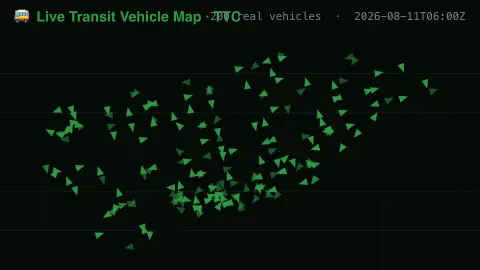
Press ESC to leave fullscreen. Settings are saved in your browser only.
How the Live Transit Vehicle Map screensaver works
The saver reads real live vehicle positions from a public transit agency's real-time XML feed.
Each dot represents a real vehicle at its real reported latitude, longitude, heading and speed.
The pipeline refreshes the positions regularly as vehicles report in.
No key is required for this key-less public endpoint.
How a live transit map is built
Many transit agencies publish a real-time feed of where their vehicles are. Vehicles carry GPS devices that send location and speed to a central server, which is how riders get predicted arrival times on websites, stop signs and phones. NextBus, founded in 1997 and acquired by Cubic Transportation Systems in 2013, is one example of a vehicle-tracking system built on this approach.
Each dot corresponds to one vehicle at the moment of its last report. Because GPS fixes arrive at intervals, a dot can lag behind a vehicle's true position, and buses that lose signal in tunnels or between tall buildings can appear to jump. Vehicles that are out of service or on layover may be reported too, so a dot does not always mean a bus is carrying passengers.
Heading shows the direction of travel. The map covers a single agency's fleet at one time and does not reflect the timetable, delays or crowding. For planning a journey, the agency's own app or schedule is the right source.
A worked example
A real bus reporting a real speed and heading moves across the map exactly as it travels its route.
Settings & tips
- Positions, headings and speeds are real live vehicle reports, not simulated traffic.
- Accent recolours the vehicle dots.
- Coverage reflects one real transit agency's live feed.
Frequently asked questions
- Is this real transit data?
- Yes — real live vehicle positions from a public transit agency's feed.
- Is a key needed?
- No. The public real-time XML feed used is fully key-less.
- Does this cover my city?
- It covers one configured transit agency's live vehicles, not every city.
- Is it free?
- Yes — free, no download, in your browser.
- Why do vehicles sometimes seem to jump?
- Positions arrive at intervals and GPS signals can be weak in dense areas, so a vehicle may be reported in a new place after a gap.
- Does the map show every vehicle in the agency's fleet?
- Only vehicles that are reporting positions at the time. Buses that are parked, offline or have lost signal may not appear.