FFT Butterfly Diagram Screensaver
The FFT Butterfly Diagram screensaver runs a real Fast Fourier Transform live, computing a random signal's frequency components through its actual butterfly network. It is free, runs in your browser, and ESC exits.
Live preview
Press ESC to leave fullscreen. Settings are saved in your browser only.
How the FFT Butterfly Diagram screensaver works
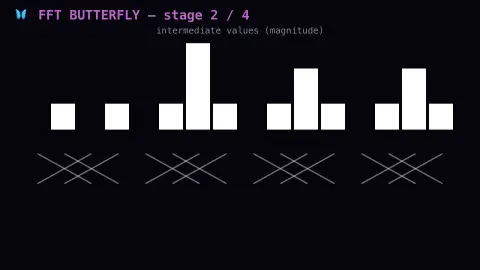
The saver generates a real random signal, then runs a genuine radix-2 Fast Fourier Transform on it stage by stage.
Each stage draws the real butterfly connections — pairs of values combined by addition and subtraction with a twiddle factor — exactly as a real FFT computes.
The signal's real frequency spectrum builds up progressively as each butterfly stage completes, shown lighting up in sequence.
Once the full transform completes, the resulting real spectrum holds briefly, then a fresh random signal and transform begin.
The fast transform behind modern signal processing
The discrete Fourier transform converts a list of samples taken over time into a list of frequency components, answering the question of how much of each frequency a signal contains. Computed directly, it needs on the order of N squared operations for N samples. In 1965 James Cooley and John Tukey published an efficient method that cut this to order N log N; the same idea was invented around 1805 by Carl Friedrich Gauss, whose work was published only after his death.
The trick is divide and conquer. A transform of size N splits into two transforms of size N/2, one on the even-indexed samples and one on the odd-indexed, and the halves are then combined. The combining step is the butterfly: two values enter, one is multiplied by a complex root of unity called a twiddle factor, and the sum and difference leave. Repeating this over log2 N stages produces the criss-crossing wiring that gives the diagram its name.
The simple radix-2 form assumes the size is a power of two, which is why practical software often pads a signal with zeros. The result is complex, holding both magnitude and phase for each frequency bin; a plain spectrum chart usually shows only the magnitude.
A worked example
A signal built from two real, clean sine waves resolves into just two sharp spikes in the final frequency spectrum, exactly where the real FFT places their true frequencies.
Settings & tips
- Accent recolours the active butterfly stage.
- This is a real, correct radix-2 FFT implementation.
- A fresh random signal generates automatically once the transform completes.
Frequently asked questions
- Is this a real FFT?
- Yes — a real, correct radix-2 Fast Fourier Transform, with every butterfly stage shown as it actually computes.
- What is a "butterfly"?
- The real, named pattern of one add-and-subtract pair in the FFT's computation graph — it visually resembles butterfly wings.
- Is a key needed?
- No — it is a pure local computation.
- Is it free?
- Yes — free, no download, in your browser.
- Why does the FFT need a power of two?
- The radix-2 version keeps halving the problem, which only works cleanly if the size is even at every level. Other algorithms handle different sizes, and padding with zeros is a common workaround.
- What is a twiddle factor?
- It is a complex root of unity, a point on the unit circle, that rotates one input before it is added to or subtracted from the other. The rotations needed across all stages come from the same N-th roots of unity.
- Who invented the FFT?
- Cooley and Tukey published the widely used algorithm in 1965, but the same idea was invented around 1805 by Gauss, whose work was published only after his death.