FDA Device Safety Reports Screensaver
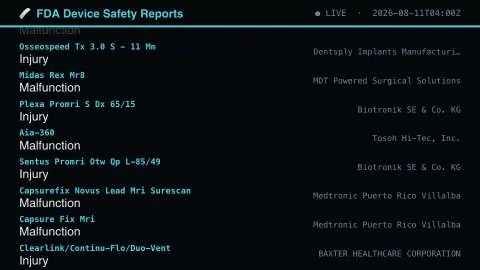
The FDA Device Safety Reports screensaver streams real FDA medical device adverse-event reports as they're reported. It is free, runs in your browser, and ESC exits.
Live preview
Press ESC to leave fullscreen. Settings are saved in your browser only.
How the FDA Device Safety Reports screensaver works
The background pipeline polls the FDA's own openFDA API — the FDA's public device adverse-event database — every few minutes for new records.
Each new item eases up into its slot at the bottom of the list as it arrives.
A header shows a live/connecting indicator and the last update time.
No key is required for this key-less public endpoint.
The MAUDE database behind device reports
Medical device problems are reported to the FDA as medical device reports, which are collected in the MAUDE database, short for Manufacturer and User Facility Device Experience. Manufacturers, importers and device user facilities are required to report certain events, and voluntary reports can come from health care professionals, patients and consumers. openFDA converts the MAUDE records into JSON through an API, and the saver reads them.
The reports cover suspected device-associated deaths, serious injuries and malfunctions, and some describe defects that caused no adverse reaction. Many entries are malfunctions with no harm to a patient, so a stream of them says little about how often anyone is hurt.
The main caveat is that a report is not a finding that a device failed or caused harm. FDA states that the incidence, prevalence or cause of an event cannot be determined from this reporting system alone, because of under-reporting, inaccuracies and the lack of usage data. A common device may show more events simply because more people use it, and rising counts can reflect better reporting rather than more problems. Records can be incomplete, untimely or unverified. This is not clinical advice; patients with questions about a device should speak to their clinician.
A worked example
A real recent item scrolls into view with its details, then eases upward as newer ones arrive behind it.
Settings & tips
- Each report is a real, individually-filed device malfunction or incident.
- Accent recolours the header and highlights.
- This is a public safety-monitoring feed, not medical advice.
Frequently asked questions
- Is this real data?
- Yes — it's read live from the FDA's own openFDA API, the FDA's public device adverse-event database.
- Is a key needed?
- No. This is a fully key-less public API.
- How often does it refresh?
- The pipeline polls for new records every few minutes.
- Is it free?
- Yes — free, no download, in your browser.
- Does an entry mean the device was defective?
- No. A report states that an event was reported and is not proof of a defect. Reports are not extensively verified, and a causal link between the device and the event cannot be established from them.
- What is the difference between malfunction and injury?
- A malfunction report concerns a device that did not perform as intended, while an injury report indicates a patient was harmed. Some reports describe defects that caused no adverse reaction at all.
- Can these counts compare device safety?
- No. FDA advises against using this data to evaluate event rates or compare rates across devices, since usage numbers are unknown and reporting is incomplete.