Domain Warp Screensaver
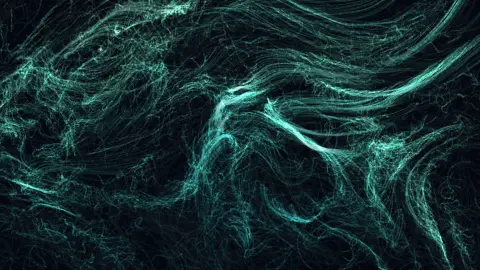
Domain Warp is a free, in-browser screensaver built on domain warping: the noise field is evaluated at coordinates that were themselves displaced by noise, noise(p + noise(p)). Feeding the field through itself folds it into marbled, layered sheets, and thousands of particles drift along the folds like ink in water. Nothing to download, and ESC exits at any time.
Live preview
Press ESC to leave fullscreen. Settings are saved in your browser only.
How the Domain Warp screensaver works
Plain noise gives smooth, rounded currents. Domain warping takes the point you are about to sample and first pushes it sideways by an amount read from two more noise fields — one for x, one for y. The final angle is read at the displaced point, so the field is dragged through itself.
The displacement is what creates the marbling. Where the offset fields change quickly, nearby sample points are thrown far apart and the resulting flow folds over on itself; where they change slowly, the currents stretch into long sheets. The mix of both is the ink-in-water look.
All three noise fields slide along their time axis at the Evolve rate, so the folds migrate and re-form continuously. Detail scales the spatial frequency of all of them together; the default here is slightly lower than the other noise fields, because the warp already adds fine structure of its own.
The particles do what they do in every Driftfield saver: read the direction under them, accelerate toward it with damping, and stroke a short segment. Long trails matter more here than elsewhere, since the folds only show up when a path is left behind to reveal them.
Domain warping, from Perlin to Inigo Quilez
Domain warping is a technique for making procedural textures look organic. Instead of evaluating a noise function at a point p, you first nudge p by the output of another noise function and evaluate at the displaced point. Repeating the trick, feeding warped coordinates into a further warp, gives the folded, marbled look of ink swirling in water. Inigo Quilez’s article on warping fractal noise is a widely cited reference for the technique in shader writing.
The reason it works is that plain smooth noise tends to look blobby and uniform in character. Warping breaks that uniformity: where the displacement field changes quickly, neighbouring points are flung far apart and the pattern creases and wraps back on itself, and where it changes slowly the pattern stretches into long smooth sweeps. The same underlying noise therefore produces both tight turbulence and calm regions.
The noise functions underneath descend from Ken Perlin’s work: he developed Perlin noise in 1983 to escape the machine-like look of early computer graphics, described it at SIGGRAPH in 1985, and later received an Academy Award for Technical Achievement for it. Warping layers a cheap extra evaluation on top of that idea, so a small amount of mathematics yields images with surprising structure.
A worked example
At the defaults — Aurora, 2400 particles, Trail 66, Detail 1.1 — teal and violet sheets slide across each other and fold at their edges like marbled endpapers. Drop Speed to 0.5 and the marbling becomes slow enough to watch a single fold form; raise Trail to 90 and the sheets pile up into dense, layered veils.
Settings & tips
- Long trails (70–90) reveal the folds; short trails turn the same field into a swarm of comets.
- The Sakura and Ultraviolet palettes suit the marbling best; Monochrome makes it look like a suminagashi print.
- Blend Domain warp into the Black hole field at around 45% for the studio’s Warped horizon look.
Frequently asked questions
- What is domain warping?
- Domain warping means distorting the input coordinates of a function before evaluating it, usually with another noise function. Applied to noise it produces marbled, folded structure that plain noise cannot, and it is a standard technique in procedural texturing.
- Is the Domain Warp screensaver free?
- Yes. It runs free in your browser with nothing to download or install, and it works offline once the page has loaded.
- What does the Seed setting do?
- Everything is deterministic from the seed: the noise table, where the field’s features land and the order particles spawn in. Leave it blank for a fresh random layout on every run, or type any short word or number to get the same layout back each time.
- Why does the image ripple when I move the mouse?
- The cursor and a lagging echo of it act as two wave sources. Their interference pattern nudges nearby particles onto the bright fringes and dims the dark ones, so the flow visibly reacts to you. Turn off Cursor ripples in the settings if you want the field left alone.
- How do I exit the Domain Warp screensaver?
- Press the ESC key at any time to leave fullscreen and return to the page.
- Is domain warping the same as distorting an image?
- Not quite. Image distortion moves existing pixels; domain warping changes where a mathematical function is sampled, so it can build detail from nothing.
- Why is the result so hard to predict from the formula?
- Composing functions compounds their variation, so a tiny change in the inner displacement can alter the outer pattern a lot. That sensitivity is part of why the textures feel natural.
- Where is this technique used outside art?
- It appears in shaders and procedural texture generation, where marbled, smoky or fluid-looking surfaces are wanted without simulating real fluids.