Disk Defrag Simulator Screensaver
The Disk Defrag Simulator screensaver recreates the classic disk-defragmenter grid, sorting a field of colored blocks into order over and over. It is free, runs in your browser, and ESC exits.
Live preview
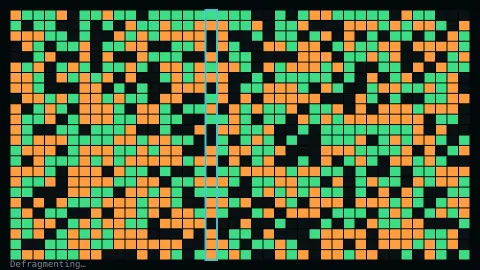
Press ESC to leave fullscreen. Settings are saved in your browser only.
How the Disk Defrag Simulator screensaver works
The saver fills a grid with colored blocks representing simulated fragmented files.
A scanning cursor sweeps the grid, swapping blocks toward a sorted arrangement, exactly like classic defragmenter tools.
Once fully sorted, the grid is reshuffled and the process begins again.
No real disk or files are touched — it is a purely cosmetic simulation.
Why disks needed defragmenting
When a computer saves a file, the file system hands out space in chunks. After many saves, edits and deletions the free space is scattered, and a file may end up split across many non-contiguous pieces. That is fragmentation.
On a spinning hard drive it costs time, because the read head must seek between the pieces, which is slower than reading a contiguous file. Defragmentation tools rearranged the pieces so that each file sat together. MS-DOS 6.0 shipped a Defrag utility that was a licensed, cut-down version of Norton SpeedDisk, and Windows 9x included one too; their block maps with a sweeping cursor became one of the signature sights of 1990s computing.
The practice faded because storage changed. Flash memory has no moving parts, so defragmentation is largely unnecessary on solid-state drives and can wear them, though Windows still defragments SSDs lightly to avoid hitting a file system fragmentation limit. Some file systems, including FreeBSD UFS and Linux ext2 through ext4, are designed to limit fragmentation in the first place, which is why the chore largely vanished for everyday users.
A worked example
The scanning cursor sweeps left to right, gradually consolidating scattered colored blocks into clean, contiguous bands.
Settings & tips
- Accent recolours the scanning cursor.
- No real disk activity occurs — it is a visual simulation only.
- A nostalgic nod to classic 1990s disk utilities.
Frequently asked questions
- Does this defragment my real disk?
- No — it never touches your real disk or files. It is a purely cosmetic simulation.
- Is a key needed?
- No — it is a pure visual animation.
- Is it free?
- Yes — free, no download, in your browser.
- Does it ever finish?
- It reaches a fully sorted state, then reshuffles and starts again.
- Do I need to defragment an SSD?
- Generally no. Flash memory has no moving parts, so defragmenting is largely unnecessary and can add wear. Operating systems such as Windows manage SSDs with their own maintenance.
- Why did old defragmenters take so long?
- They had to move data around within the free space on a mechanical drive, where each jump between locations meant a slow physical seek.
- Is fragmentation only a Windows problem?
- No, any file system can fragment, but some are designed to limit it, such as FreeBSD UFS and Linux ext2 through ext4, while others like Btrfs and XFS offer online defragmentation tools.